Trial day, without the paperwork.
Your evaluators rate each player on their phone. Kickd combines the scores into one report, and you sort the players into teams on one screen.
No paper forms to collect and no spreadsheet to type up afterwards. It runs in a browser, so there is nothing to install.
Two pages, PDF. Made to forward to your committee.
Ten minutes to set up, before trial day
On the day, and after it
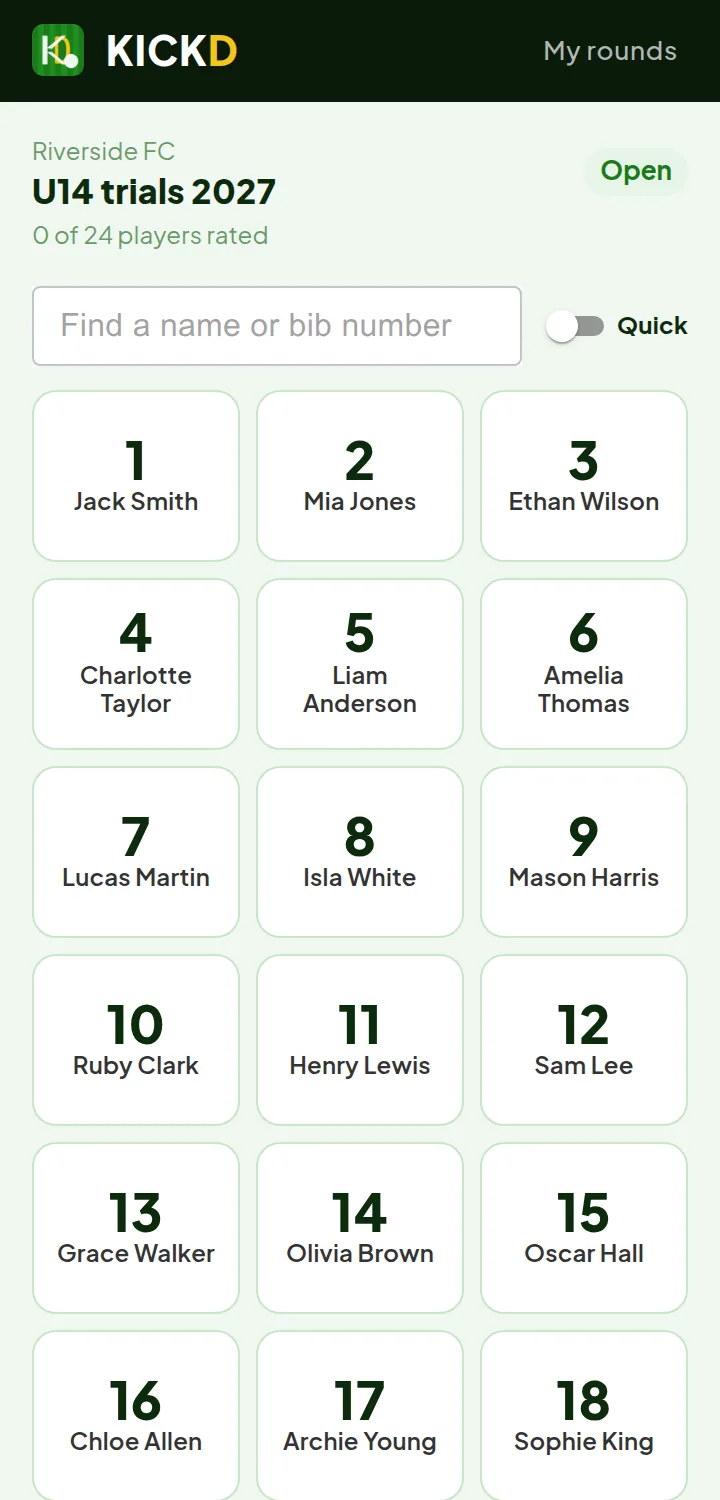
These are the real screens, shown with invented players.
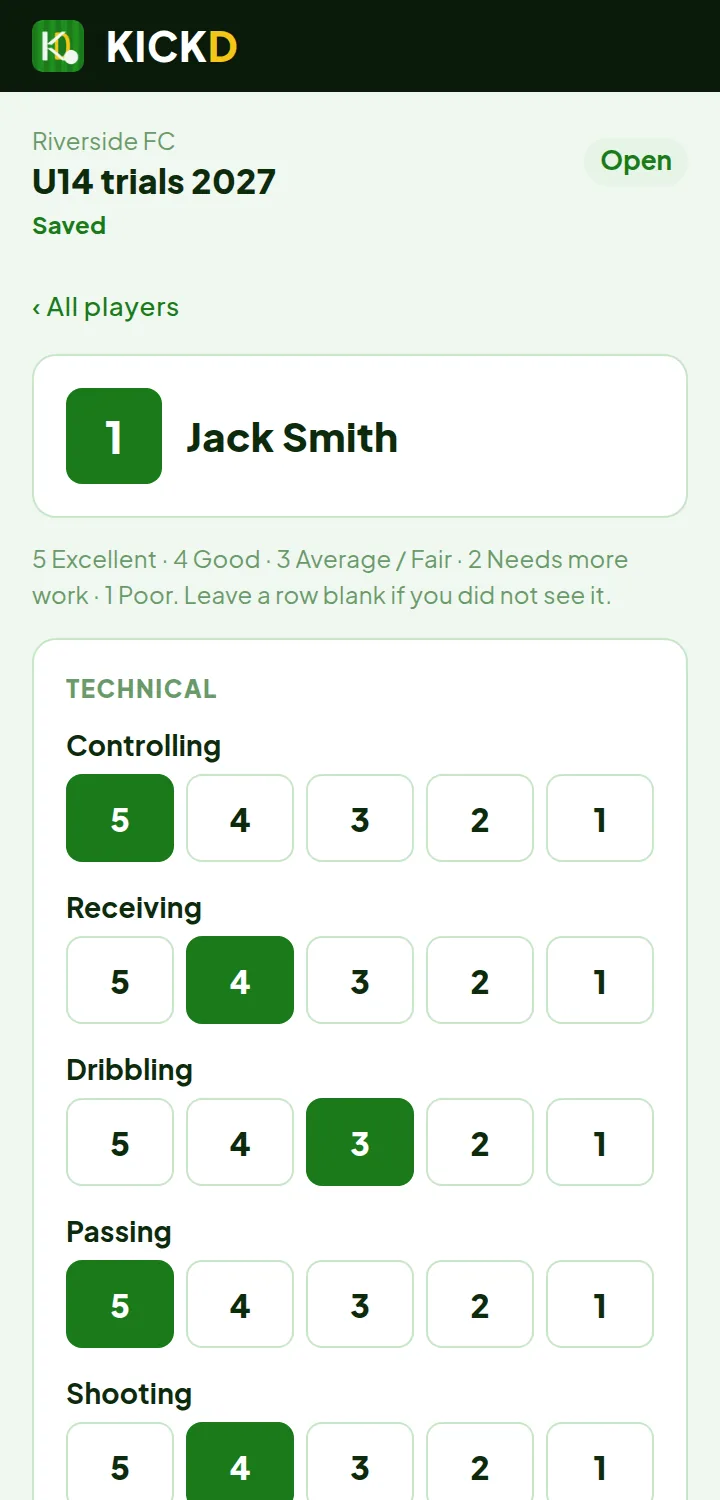
Evaluators rate from the sideline
Each evaluator finds the player by bib number and taps 1 to 5 on each row. Nobody sees what anyone else gave: not another evaluator's sheet, not an average, not a ranking. The scores you get are independent.
- One tap a rating, saved as it is given
- Ratings wait on the phone if the signal drops, then send
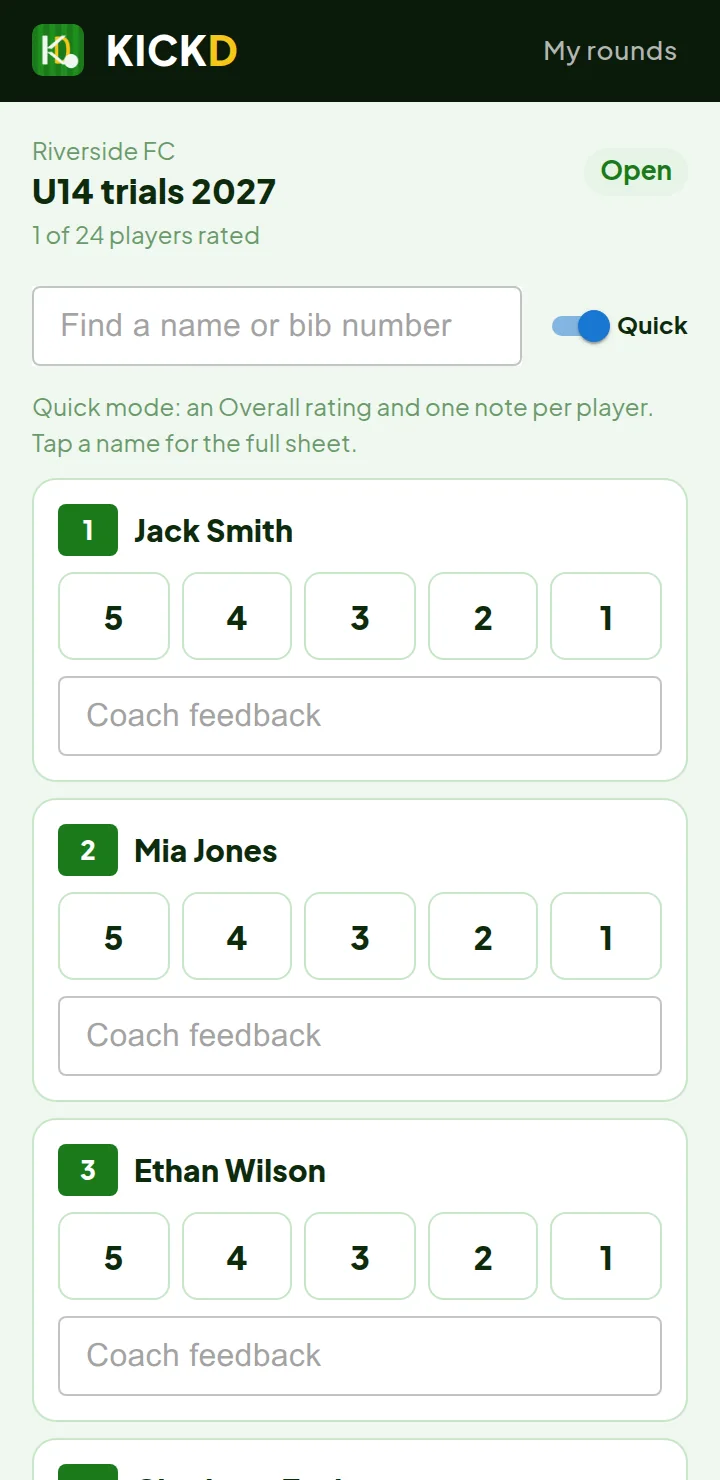
- Quick mode: just an Overall and a note for each player
Read one combined report
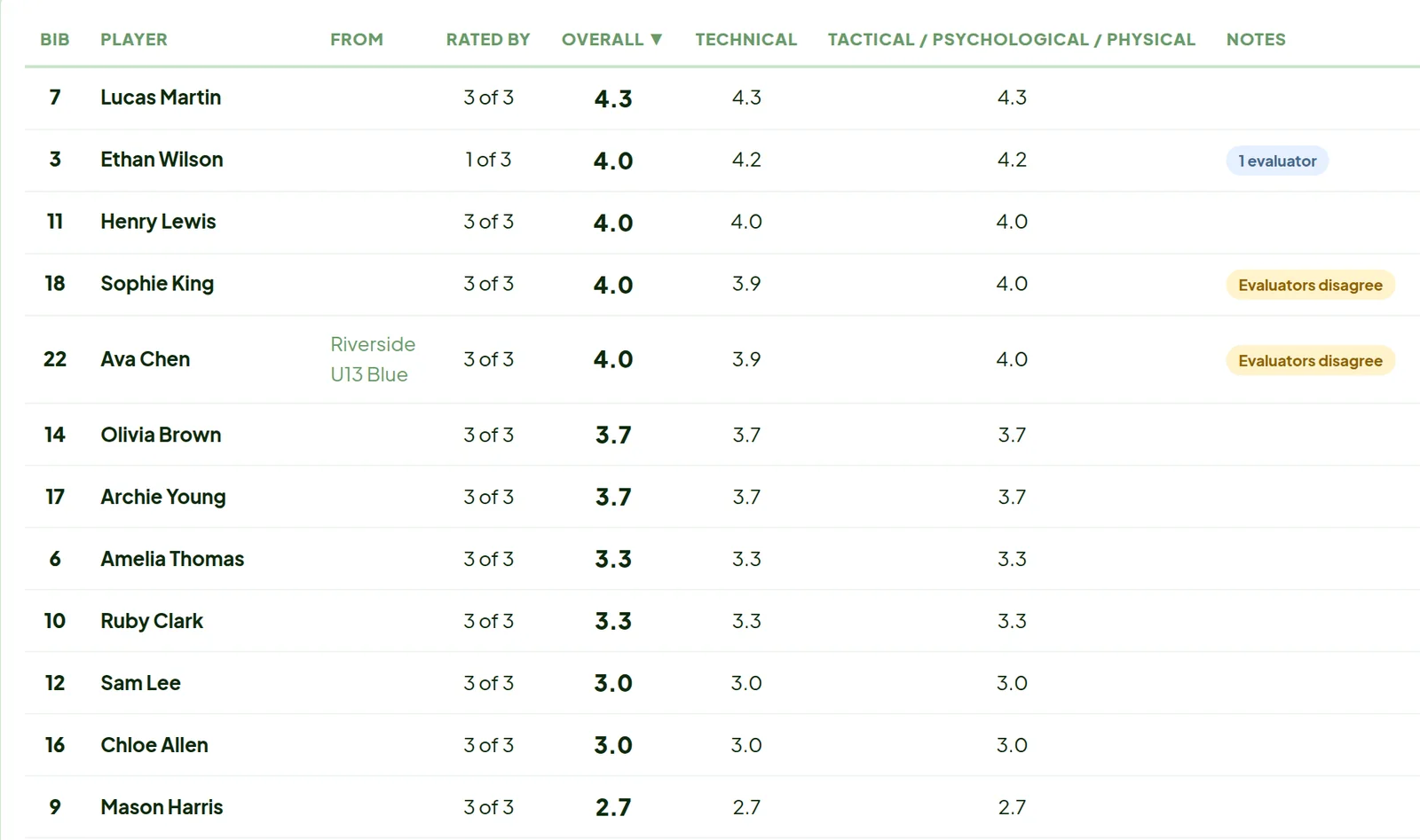
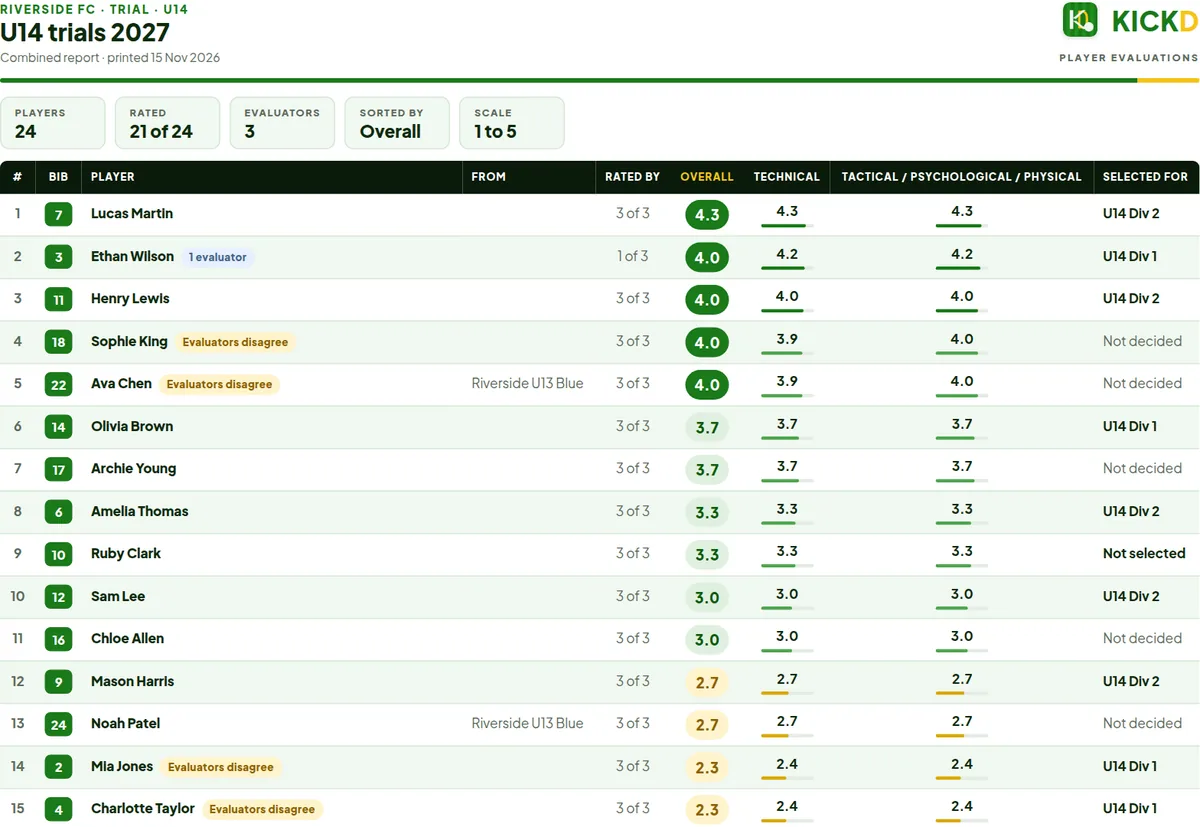
Close the round and every player is on one ranked list. Open a player to see each evaluator's rating on every row, and all the comments.
- Overall and section averages for every player
- A mark where the evaluators disagreed
- A mark where only one evaluator saw the player
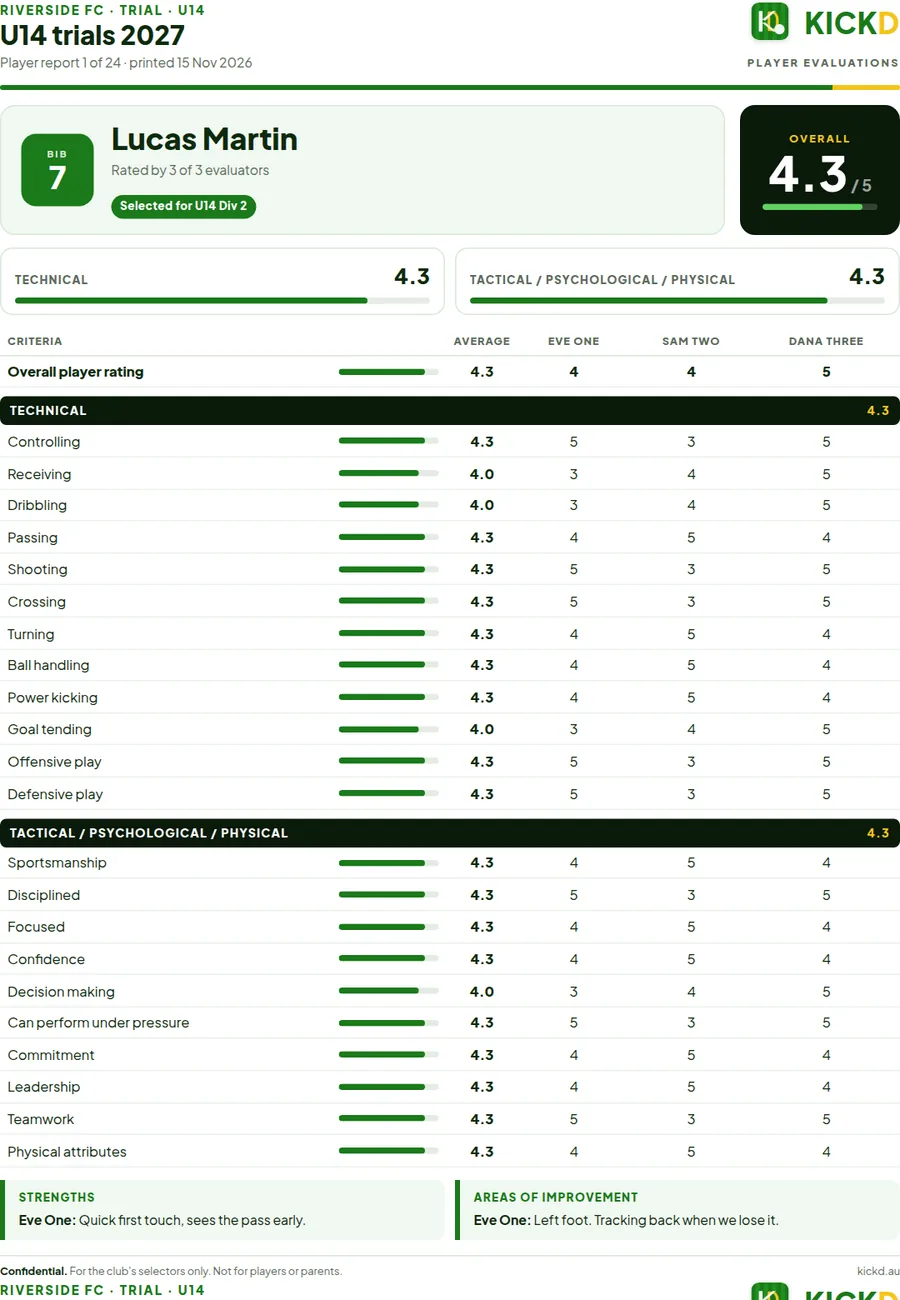
Print it for the selection meeting
Some committees still want paper on the table. Both printouts are marked confidential, for the club's selectors only.
- The ranked list on one landscape page
- A page per player, with every rating and comment
- Your club logo at the top
Sort the players into teams
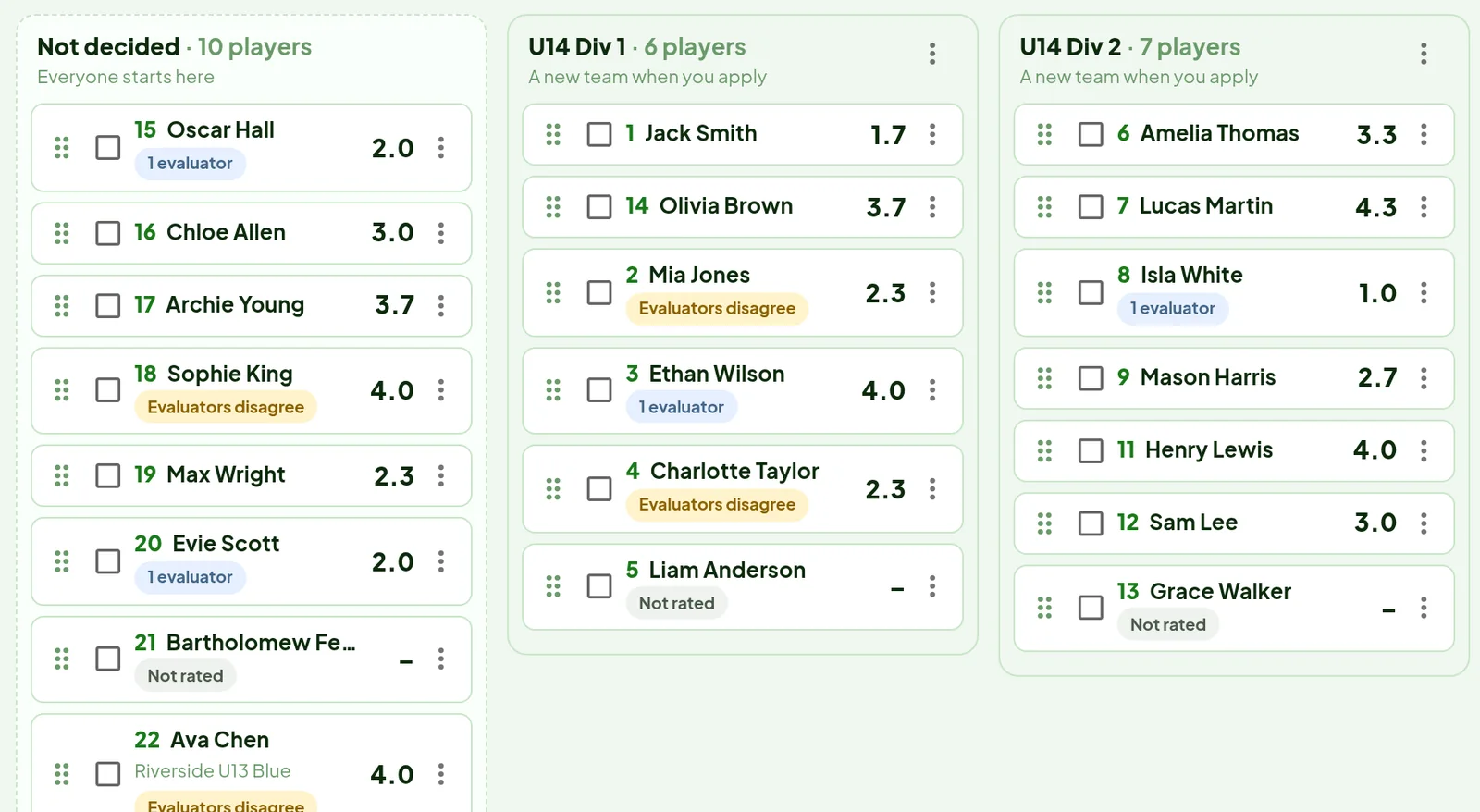
Add a column for each team you are picking and put each player in one. When selections are final, Kickd creates those teams, ready for you to invite the coaches. Nothing from the evaluation follows a player to their team.
- Drag a card, or move several players at once
- A draft for as long as you need
- One button creates the teams, with their players
Start from a ready-made form
Every row is rated 1 to 5, with an Overall rating and comment boxes. Rename, add or remove any row before a round opens, then save it as your club's form.
Soccer form
22 rows · 2 sectionsRugby league form
18 rows · 4 sectionsEvaluations work for all 12 sports. Clubs in the other ten start from a general form with 15 rows across skills, game sense and attitude. If your club grades on something else, change the rows, or email hello@kickd.au with what you use and we will set it up.
Built for information about young players
Club admins only
Only your club’s admins see the results. Parents and players never do, and nothing shows in the Kickd app.
Nothing follows the player
No rating, comment or bib is attached to a player once they are on a team.
Deleted after 12 months
Each round is deleted 12 months after you close it, or sooner if you delete it. The teams you created stay.
A person decides
Kickd adds the scores up. It does not pick a team or cut a player. There is no auto-fill button, on purpose.
The same form also works as a player review during or after a season, with one evaluator or several. More in the privacy policy.
Take it to your committee
Already a Kickd club? Sign in and open Evaluations in the club menu. Not yet? Player evaluations are part of every Kickd club membership, in all 12 sports, with no charge per trial, player or evaluator.
Player evaluations, answered
What does it cost?
Nothing extra. Player evaluations are part of every Kickd club membership, in all 12 sports. There is no charge per trial, per player or per evaluator.
Do evaluators need the Kickd app?
No. They open a link in their phone’s browser and sign in with Google, Apple or an email and password. It is the same account the Kickd app uses, so a coach who already has one just signs in. Someone who has never used Kickd makes an account on that page.
Can we use our own trial form?
Yes. Start from the ready-made form, then rename, add or remove rows, sections and comment boxes before you open the round. Every row uses the same 1 to 5 scale. You can save the result as a club form for next time.
Which ready-made forms are there?
A soccer form with 22 rows in two sections, and a rugby league form with 18 rows in four sections. Both can be downloaded from this page. Clubs in other sports start from a general form with 15 rows. Any of them can be changed before a round opens.
Do the teams have to exist in Kickd before the trial?
No. A trial usually happens before teams are settled, so you paste in your registration list and the players get bib numbers. The teams are created when you apply your selections. If a team is already in Kickd you can add selected players to it instead.
Can parents or players see the scores?
No. Results are visible to your club’s admins only. They do not appear in the Kickd app, and nothing from the evaluation is attached to the player once they are on a team. A parent can ask your club, or Kickd, to see what was recorded about their own child.
Does Kickd choose the teams?
No. Kickd combines the ratings and shows you the list. A person at your club places every player. Kickd makes no decision about a player automatically.
What happens to families when a player is put in a new team?
The player is added to the new team as a new player. Parent links are not carried over, so each family joins the new team with its Join Link, the same as any new team. The club tells families the selections its own way.
How long are evaluations kept?
A round is deleted 12 months after you close it. You can delete it sooner, or keep it for up to 24 months. Teams and players created from a round stay.
What does the club need to tell families?
That players will be assessed at the trial and that the results are recorded. That is the club’s responsibility, and the setup page reminds you. Keep comments to a player’s game and never record health or family matters.
What if there is no signal at the ground?
Ratings an evaluator gives while offline are kept on their phone and sent when the connection returns. The page shows how many are still waiting, so nobody leaves with unsent ratings.
More of what Kickd does