Hockey game day: fast rotations, without losing track of the bench.
Hockey rolls subs constantly — and the coach who blinks loses count. Kickd keeps your bench order, minutes and rotations honest so you can coach the play, not babysit a tally sheet. Cards run down on the game clock, and the keeper gets their own save record.
Free coach’s playbook
The Hockey Playbook
We won 9–1 and the stats sheet still found two problems. How to read circle entries, corners and shot accuracy like a national-league coach, every goal split into field goal, corner and stroke, and word-for-word what to say at the breaks. Built from a real Opens match, logged live by voice.
Get it free →Circle entries, shots and corners, for both teams.
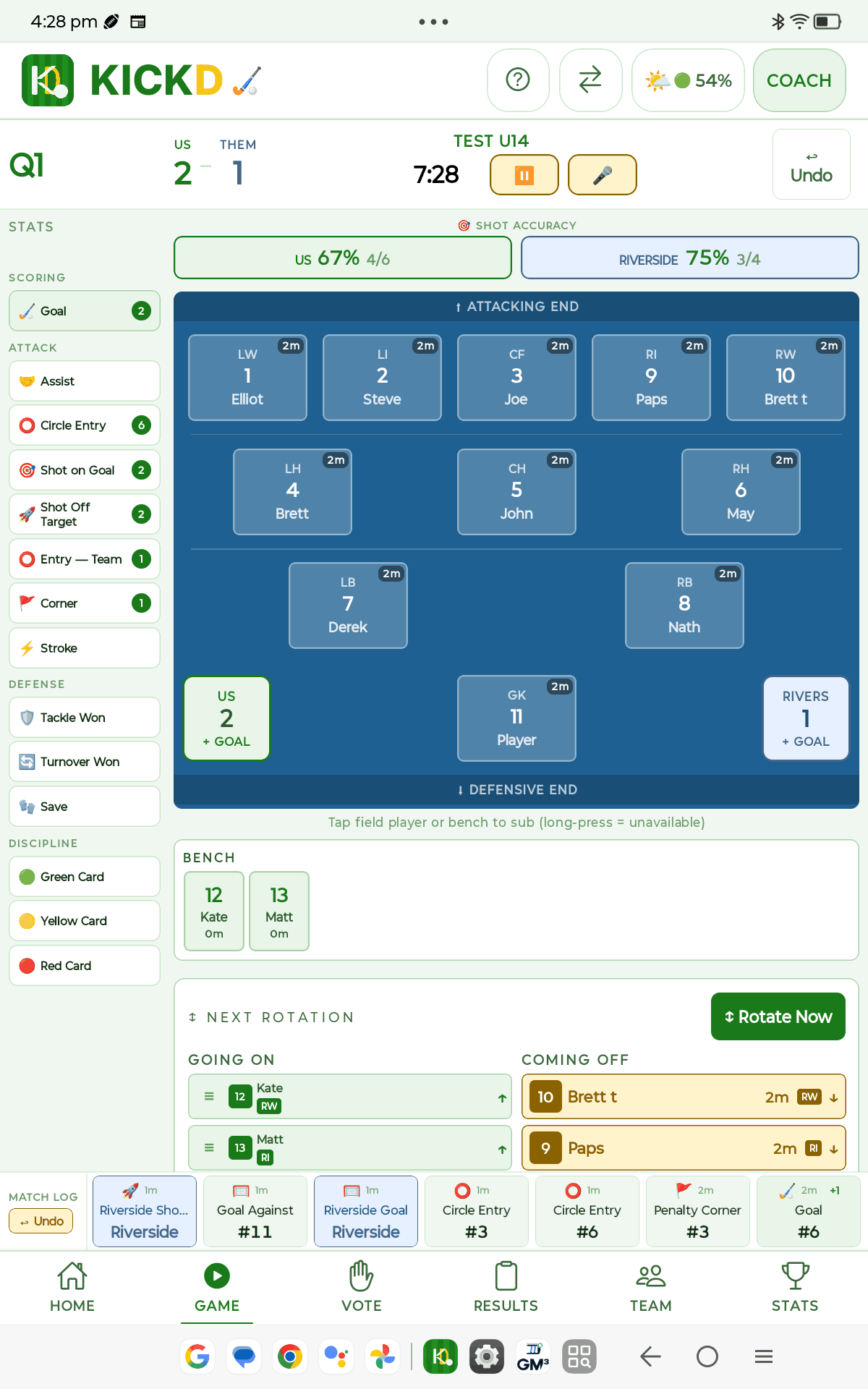
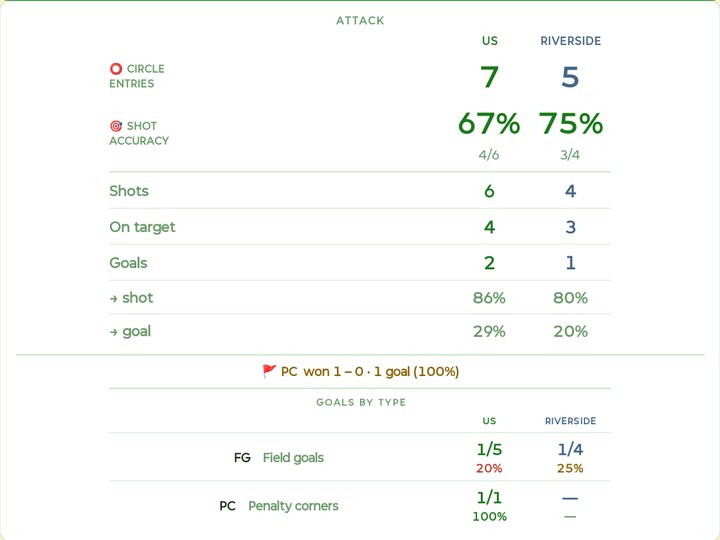
From U14, Kickd turns a few taps a minute into the attack numbers coaches argue about at the break. These are the tablet screens; the phone runs the same match.
Every circle entry, one tap
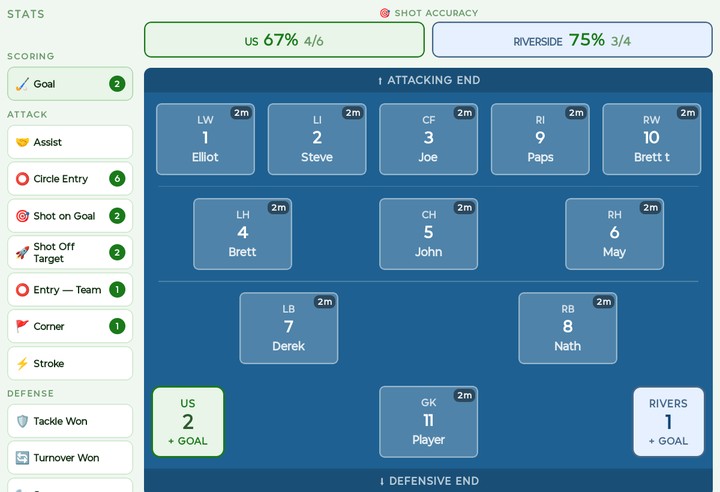
Tap Circle Entry, then the player who took it in, or log it for the team when you missed who. Shots on and off target, goals and corners log the same way, and the shot accuracy for both teams sits above the pitch all match.
Their entries and shots log from their score cell, so you see both attacks, not just yours.
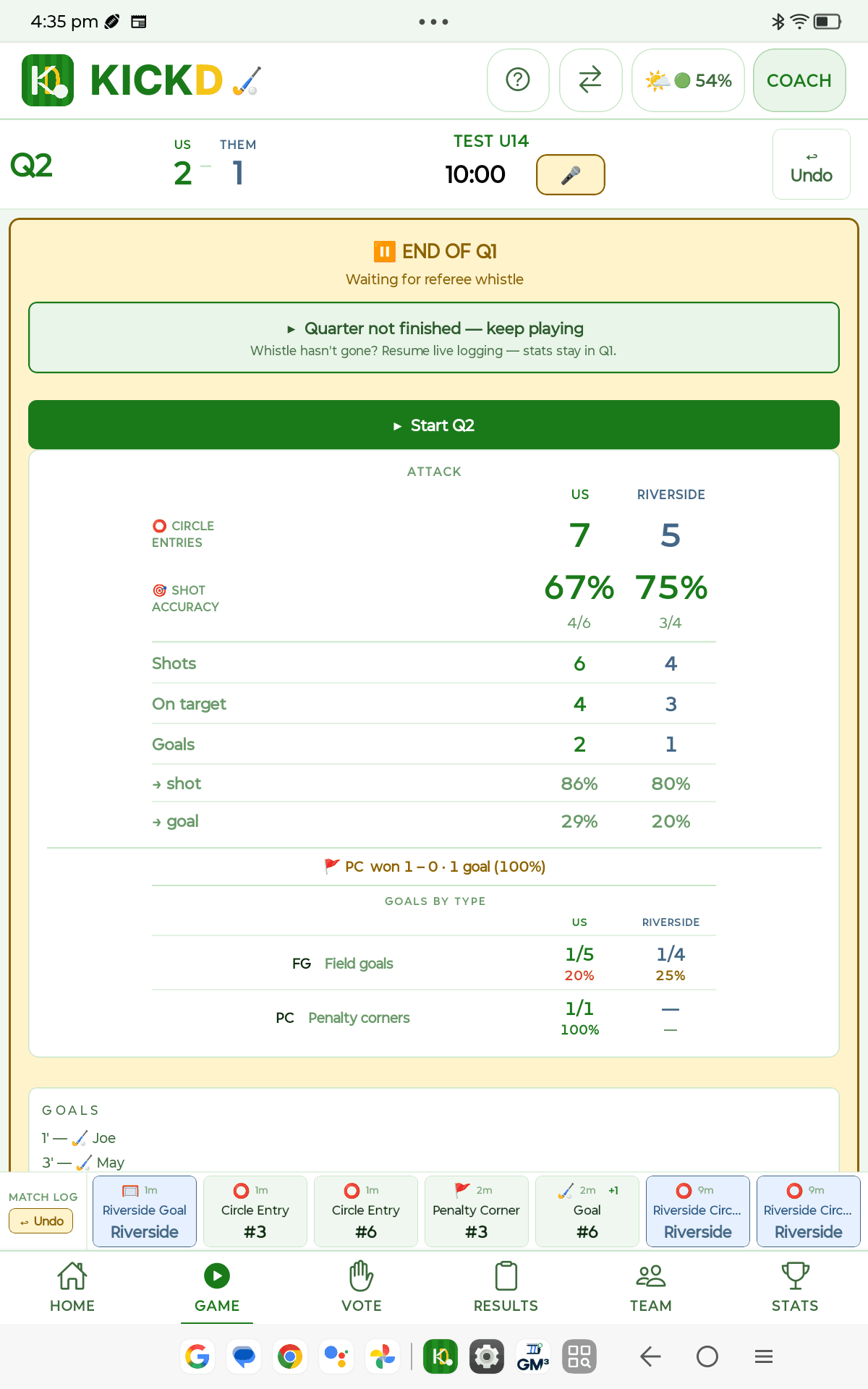
Your attack against theirs, at every break
The whistle goes and the card is ready: circle entries, shot accuracy, shots and goals per entry for both teams, penalty corner conversion, and every goal split into field goal, corner and stroke.
It is all worked out from what you logged, so there is nothing to add up at the break.
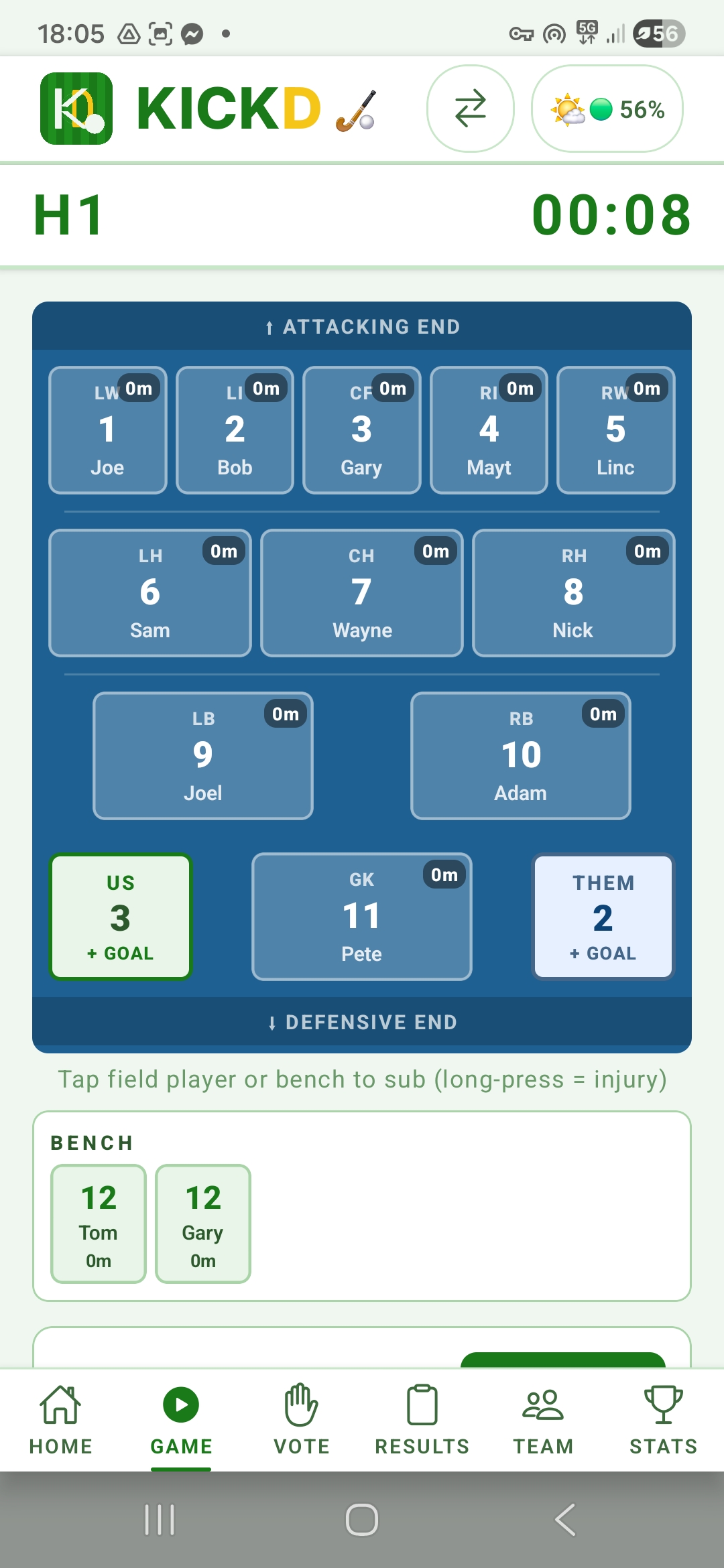
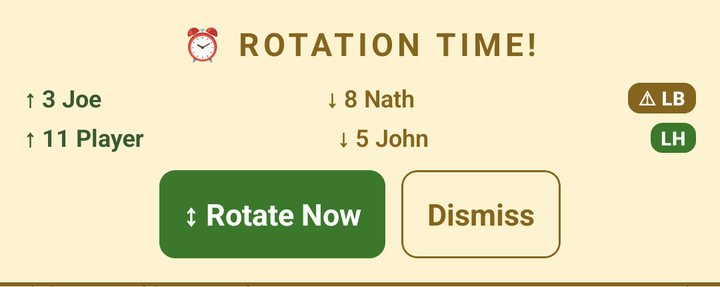
Rotation alerts that name each swap
When a rotation is due, Kickd shows who comes off, who goes on and the position they fill. Tap Rotate Now and it is done, or dismiss it and play on.
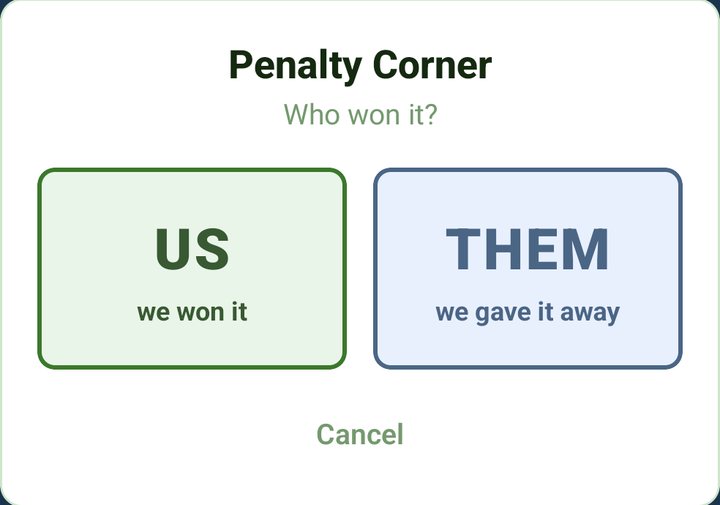
Penalty corners, logged by who won them
From U14, a corner starts with one question: who won it? Kickd then asks how it ended, so corner conversion for both teams is ready at the break.
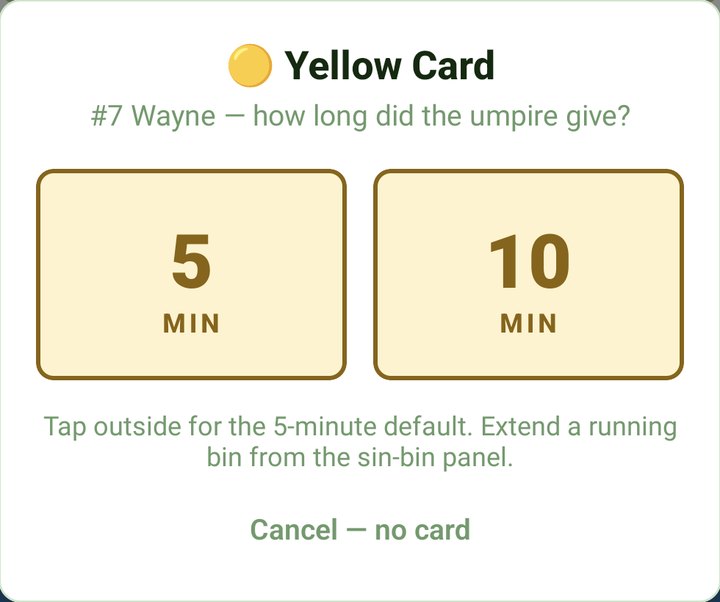
Cards counted down on the game clock
Show a green, yellow or red card and the player comes off. From U14 a yellow asks whether the umpire gave five minutes or ten, then the sin bin counts it down on the game clock and the position stays empty until it is served.
The score and the clock, without unlocking
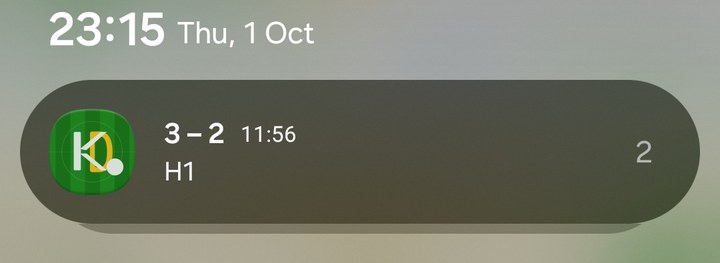
While a match is live, Kickd keeps the score, the period and the running clock in your notifications, so a glance at your phone tells you where the game is.
The clock keeps running with the phone locked or in your pocket.
Hockey questions, answered
Kickd is an Australian game-day app built for field hockey: live rolling subs with running minutes per player, a bench order auto-sorted by who's owed time on, rotation alerts, rotation pools that pair each substitution within a Forward, Mid or Back line, green, yellow and red card suspensions counted down on the game clock with a card-impact report, saves credited to whoever made them and goals against, goal scorer attribution with assists, and from U14 up circle entries and shot accuracy for both teams, penalty corners and penalty strokes with their conversion rates, every goal split into field goal, corner and stroke, tackles and turnovers won — plus a match clock that keeps running while the app is backgrounded, and Player of the Match voting with a fairness record on every match.
Can Kickd rotate hockey players by line?
Yes — rotation pools. Tag each player Forward, Mid or Back and Kickd pairs each substitution within that line, so a forward replaces a forward as the subs roll. Halfbacks count as midfield. The goalkeeper is excluded from the pairing. It is a preference rather than a rule: a short bench still rotates, with the mismatch flagged instead of blocked.
Does the match timer keep running if I leave the app?
Yes. The match clock is anchored to real time, so backgrounding the app, locking the phone or stepping away for photos never stops it — the time is right when you come back, and a live match timer sits on your lock screen on both iPhone and Android.
How does Kickd keep up with hockey's rolling subs?
Hockey rolls substitutions constantly, so Kickd keeps the bench order auto-sorted by who's owed time on. Each sub is a tap, and running minutes update live for every player on and off the field.
Does Kickd track equal game time in junior hockey?
Yes. Minutes are counted automatically for every player across the match, so equal game-time is backed by live data instead of a coach's memory.
What hockey stats does Kickd record?
At every age: goals with the scorer attributed and minutes per player, and from U14 green, yellow and red cards with suspensions counted down on the game clock — a yellow asks whether the umpire gave 5 or 10 minutes. From U14 up, with Team Stats: assists, shots on and off target, circle entries for both teams, penalty corners with who won each one and whether it converted, penalty strokes with who drew each one and who took it, tackles won, turnovers won, saves credited to whoever made them and goals against tracked to whoever is in goal. Player of the Match voting after the final whistle.
How does Kickd track circle entries and attacking pressure?
Circle entries are hockey's supply line — how often the ball reaches your attacking circle — and shot accuracy is what you did with it. In Kickd both are one tap (or one voice call) for either team, and every break shows an attack card comparing the two sides: entries, shots, accuracy and goals. A live accuracy strip above the field keeps the shooting picture honest during play, and set pieces get their own lines — corners won against conceded, strokes won against conceded, and how many of each converted. Every goal in the match is also split into field goal, penalty corner and penalty stroke, each with its own attempts and conversion rate, for both teams.
How does a penalty corner get logged?
One tap opens the corner flow: who won it, us or them. Yours asks who earned it and whether it scored, so the goal is stamped as a converted corner; theirs records the corner against you and optionally who gave it away. By voice the whole thing is one breath — "corner six, goal three". Penalty strokes work the same way: whose stroke, who drew it, who is taking it, then goal, saved or missed, with the outcome credited to the taker.
Can junior hockey teams use the advanced stats?
Yes, if the coach wants them. The full set comes with Team Stats from U14, and U12 teams can switch on EXTENDED STATS on the Team tab — built for rep-pathway junior sides whose coaches want the same detail. It is off by default because a big stat panel is the wrong tool for a normal U12 match, and turning it off later hides the buttons without deleting anything already logged.
How does Kickd handle green and yellow cards?
Card suspensions are timed on the game clock: the suspended player sits in an on-screen sin-bin with a live countdown that pauses when the match pauses, so nobody comes back early or gets forgotten.
Is a yellow card in hockey 5 minutes or 10?
Either — the umpire sets the length when the card is shown, with 5 minutes the minimum under the rules and 10 common in senior grades. Kickd asks which one at the moment you log the card, and that answer drives everything: the sin-bin countdown on the game clock, the position held open while the team plays short, the alert when the player is due back, and the card-impact report afterwards. If the umpire lengthens it later, add 5 minutes from the sin-bin panel. Junior teams are not asked and always get 5.
Can I track penalty stroke conversion in hockey?
Yes. A stroke is logged winner-first: whose stroke it is, who drew it if you saw it, then who is taking it, then goal, saved or missed — with the outcome credited to the taker, so a flicker builds a real record across the season. Their strokes are counted the same way, and a stroke your keeper saves credits the save. The break and full-time cards show strokes won against conceded with the conversion rate, beside the same line for penalty corners.
How do you tell field goals from corner and stroke goals?
Kickd splits every goal in the match into three types — field goal, penalty corner and penalty stroke — and gives each its own attempts and conversion rate, for your team and the opposition. Field-goal attempts are open-play shots, corner attempts are corners won, stroke attempts are strokes won, so you can see at a break whether the set pieces or the field game is doing the scoring. Nothing extra is logged for it: the split is derived from the corner and stroke flows you already used.
Can I log hockey by voice?
Yes — Kickd Callout, included in every plan at every age group, logs the game completely hands-free on your phone mic or a Bluetooth headset (a boom mic like the Shokz OpenComm 2 for match day): say "goal seven" or "save" and the match updates without touching the screen — and the advanced stats are fully spoken too, down to "corner six, goal three" logging a converted penalty corner in one breath, or "stroke us nine" opening the stroke flow. Recognition runs on-device and works fully offline.
Can parents follow a hockey match live on Kickd?
Yes. Parents and supporters follow the score live for free — no account required — and juniors can run Player of the Match voting from their own phones.
Can I switch hockey rotation alerts off?
Yes, per team. ROTATION ALERTS is on by default for hockey; a team that subs on feel switches it off on the Team tab and the timed alerts, the next-rotation card and the background reminders all stop, while tap-to-sub, running minutes and rotation pools carry on exactly as before.
How many players are on a hockey field?
Eleven a side including the goalkeeper in the full game, with unlimited rolling substitutions. Junior formats are smaller: Kickd's defaults are 6-a-side at U8 and 7-a-side at U10, with eleven from U12, and associations vary, so check yours.
How long is a hockey game?
Associations set their own. Kickd's defaults are two halves: 10 minutes at U8, 20 at U10 and U12, 30 at U14 to U18 and 35 at Opens, with period chips from 10 to 35 minutes, and comps that play quarters flip the FORMAT row on the TEAM tab. Cards run on the same game clock: green is two minutes, yellow five or ten as the umpire gives it, red the rest of the match.
What does Kickd cost for hockey?
Your first 3 matches are free at the full Team Stats level, so you see everything before paying anything. After that a Team Pass is $19.99 per team, per season: the live match clock, substitutions and rotations, fair game time, lineups, goals with the scorer, and green, yellow and red cards with their sin-bin countdowns, Player of the Match and the free parent live view — all of it callable by voice with Kickd Callout. Team Stats is $49.99 per team, per season and adds the full hockey stat set — assists, circle entries and shot accuracy for both teams, penalty corners and strokes with their conversion, every goal split FG, PC or PS, saves, tackles won and turnovers won, from U14 or with the U12 EXTENDED STATS toggle — and widens what Callout hears to match; a coach on a Team Pass can try it free for 14 days, once. A Performance Analyst logging for a Team Stats team gets the full set with no pass of their own. Parents and supporters are always free, and a club buys one plan that covers every team, priced per sport on the pricing page.
Read more
Ready to run hockey game day with Kickd?
Download the app and run your first 3 matches free at the full Team Stats level, or set up every team in your club at once.