AFL game day: rolling rotations that stay fair across four quarters.
Auskick and junior AFL are built around rolling subs and equal game-time — and tracking that on paper is brutal. Kickd tracks every player's minutes quarter by quarter and suggests who comes on next, so no one finishes the match short-changed. Senior sides get the numbers coaches actually argue about at quarter time: Inside 50s, scoring rate per entry and the centre clearance battle.
Free coach’s playbook
The Aussie Rules Game Day Playbook
How to share four quarters so every kid gets a fair go, in minutes you can check against your league's rules. Free for junior coaches. Comes with the match-day quick-start guide.
Get it free →The oval, the score and the Inside 50s on one screen.
These are the phone screens a coach uses on the boundary. Tablets get the same match with the stats down the side.
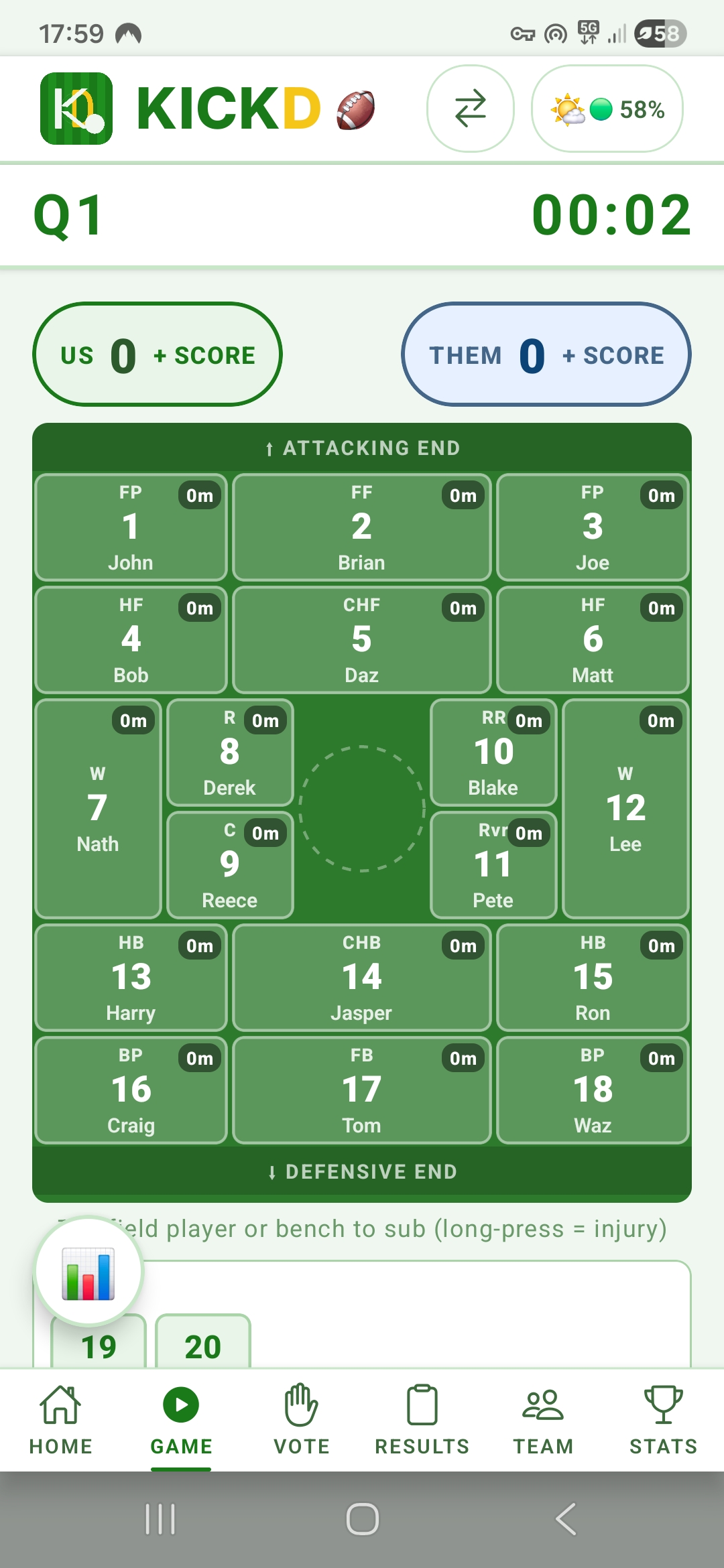
A real oval, with Inside 50s one tap away
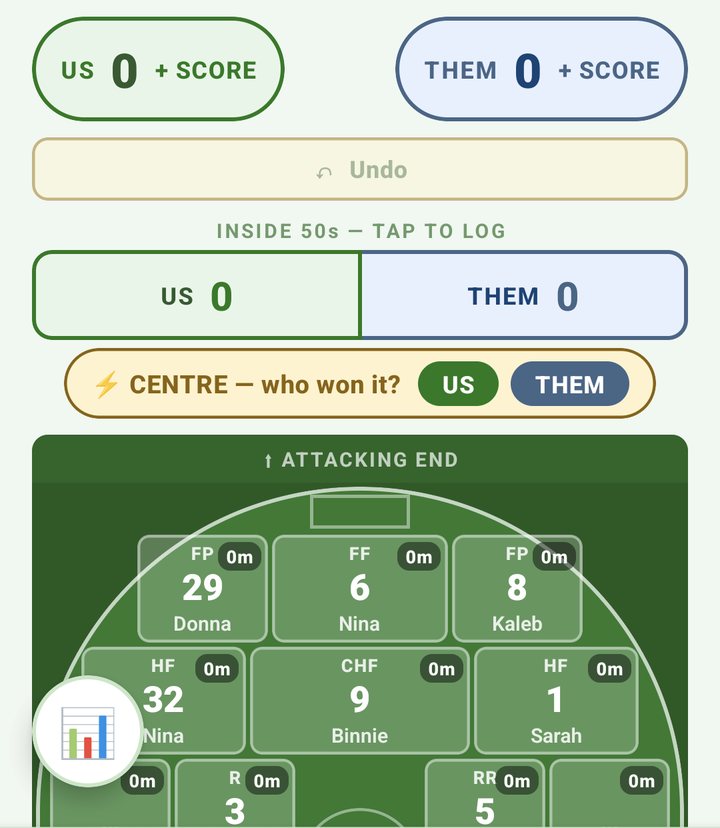
Every position sits where it is on the ground, with minutes on each player. Above the oval, the Inside 50s bar logs an entry for either team in a single tap, and a prompt asks who won the centre after each goal.
Undo sits right under the score and names what it will take back.
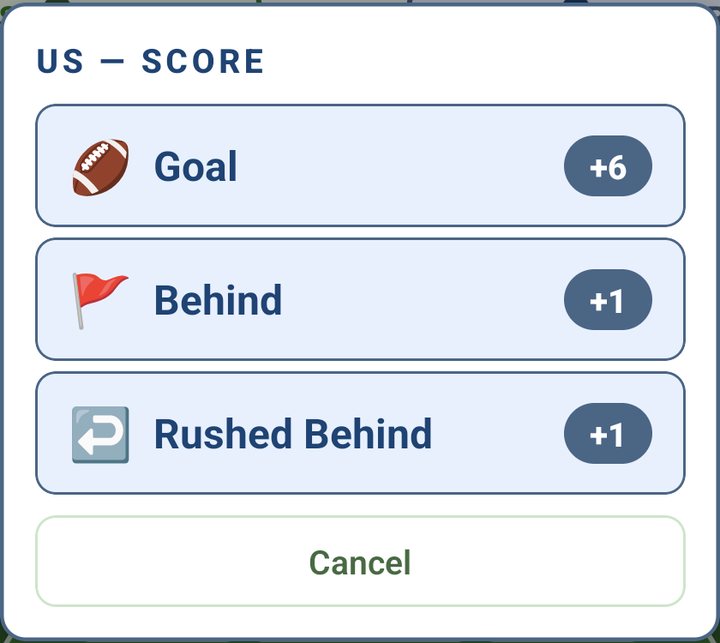
Goals, behinds and rushed behinds
Tap your score, pick what it was, then tap the kicker. A goal is six, a behind is one, and a rushed behind goes to the team without a name.
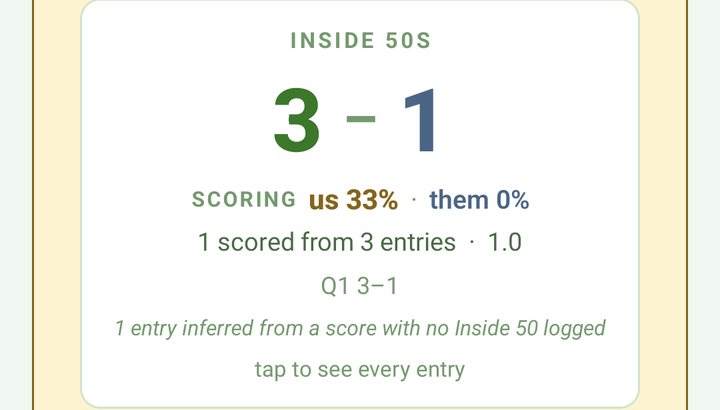
What you got from your entries, at every break
From U13 up, the break card shows Inside 50s for both teams and how many of yours ended in a score. It is worked out from what you logged, so there is nothing extra to fill in.
The score and the clock, without unlocking
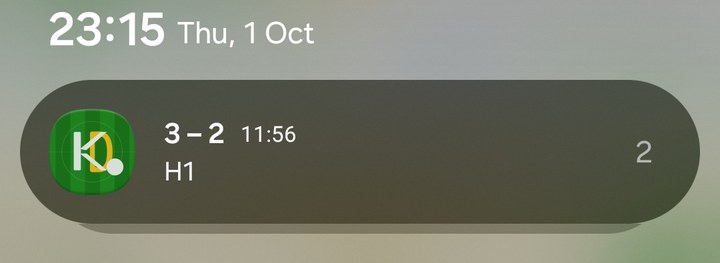
While a match is live, Kickd keeps the score, the period and the running clock in your notifications, so a glance at your phone tells you where the game is.
The clock keeps running with the phone locked or in your pocket.
AFL questions, answered
Kickd is an Australian game-day app built for AFL and Auskick: rolling rotations with live minutes per player, a fairness score on every junior match, rotation pools that pair each substitution within a Forward, Mid or Back zone, a real oval field with every position from 9-a-side to the full 18, goals, behinds and rushed behinds scored with the kicker attributed, Inside 50 tracking for both teams with scoring rate per entry, centre clearances, marks, kicks, handballs, possessions and tackles from U13 up, a match clock that keeps running while the app is backgrounded, and Player of the Match voting.
How does Kickd manage AFL rotations?
Coaches run rolling rotations from the bench with live minutes against every player's name. Each player coming on takes the position of the player coming off, and the minutes stay visible quarter by quarter — no paper tally required. Timed rotation alerts are optional: some AFL coaches want the reminder, others interchange on feel, so it is a per-team setting.
Does the match timer keep running if I leave the app?
Yes. The match clock is anchored to real time, so backgrounding the app, locking the phone or stepping away for photos never stops it — the time is right when you come back, and a live match timer sits on your lock screen on both iPhone and Android.
Can Kickd rotate AFL players by position group?
Yes — rotation pools. Tag each player Forward, Mid or Back on the team list (a player can hold more than one, and leaving it blank means anywhere), and Kickd pairs each player coming on with a player coming off in the same zone, so a back replaces a back. Auto-fill puts tagged players in their own zone too. It is a preference, not a rule: if the bench has nobody for that zone the rotation still happens and the pairing is flagged, because a junior bench is too thin for a hard constraint. Drag any player to override the pairing.
Does Kickd track equal game time for junior AFL and Auskick?
Yes. Every player's minutes are tracked automatically and shown live on the field and the bench, so the coach can see who has had the least time before the next break. Junior matches also get a fairness score.
What AFL stats does Kickd record?
At every age: goals, behinds and rushed behinds with the kicker attributed, and minutes per player across all four quarters. From U13 up, with Team Stats: Inside 50s for both teams, centre clearances, goal assists, marks, kicks, handballs, possessions, tackles, intercepts, turnovers and frees against. At every quarter break Kickd shows an Inside 50s card with the entry differential, your scoring rate per entry for both teams and the centre clearance count.
What are Inside 50s and how does Kickd track them?
An Inside 50 is the ball moving into your forward 50-metre arc, and scores per Inside 50 is the efficiency number AFL coaches quote at every level — it answers whether you are using your supply or bombing it away. In Kickd it is one tap for either team from the live field, and the app works out the rest: how many entries each team had per quarter, how many produced a score, and where each one started (centre bounce, kick-in, turnover or general play). A score logged without its Inside 50 still counts, because every score comes from inside 50 by definition.
Can junior AFL teams use the advanced stats?
Yes, if the coach wants them. The full stat set comes with Team Stats from U13, and U10 to U12 teams can switch on EXTENDED STATS on the Team tab — built for rep-pathway and gifted junior sides whose coaches want the same detail. It is off by default because a twelve-button stat panel is the wrong tool for a normal U10 match, and turning it off later hides the buttons without deleting anything already logged.
Does your league play 15-a-side, or 13-minute quarters?
Set both in the app. Team sizes vary by league and by gender variant — AFL Sydney juniors run 15 a side where other tables say 12 — so the Team tab has a team size setting: pick 9, 12, 15, 16 or 18 and the oval, the lineup and the rotations all follow. Quarter length is a setting too, and 13 minutes is one of the presets.
Does Kickd work on the sideline without reception?
Yes. Kickd works offline on the sideline and needs no GPS units or wearables — everything is logged on the phone or tablet the coach already owns.
Can I log AFL by voice?
Yes — Kickd Callout, included in every plan at every age group, logs the game hands-free on a Bluetooth headset (a boom mic like the Shokz OpenComm 2 for match day); on the phone or tablet mic you tap to listen for each call. Say "goal twelve" or "rushed behind" and the score updates. Recognition runs on-device and works offline once the voice pack is downloaded.
How many players are on the ground in junior AFL?
It grows with the age group and varies by league. Kickd's defaults are 9-a-side at U8 and U9, 12-a-side at U10 to U12, 16 at U13 and U14 and the full 18 from U15; girls' competitions often play 14 or 16 where boys play 16 or 18, and some leagues play 15. The TEAM SIZE setting on the TEAM tab takes 9, 12, 15, 16 or 18 and the oval redraws to match.
How much game time must each player get under the AFL Junior Rules?
The AFL's Junior Rules (2024) say every player must play a minimum of 50 to 75% of game time, with the controlling body setting the exact percentage. Fair share is total player-minutes divided by the players who turned up: with 16 players, 12 on the ground and 4 × 12-minute quarters it is 576 ÷ 16 = 36 minutes each, which is 75% of the game. Kickd shows every player's minutes live and carries them across every quarter break, so the share is a number you can check at three-quarter time, not a guess.
What does Kickd cost for AFL?
Your first 3 matches are free at the full Team Stats level, so you see everything before paying anything. After that a Team Pass is $19.99 per team, per season: the live match clock, substitutions and rotations, fair game time, lineups, goals, behinds and rushed behinds with the kicker attributed, Player of the Match and the free parent live view — all of it callable by voice with Kickd Callout. Team Stats is $49.99 per team, per season and adds the full AFL stat set — Inside 50s for both teams, centre clearances, goal assists, marks, kicks, handballs, possessions, tackles, intercepts, turnovers and frees against, from U13 or with the U10 to U12 EXTENDED STATS toggle — and widens what Callout hears to match; a coach on a Team Pass can try it free for 14 days, once. A Performance Analyst logging for a Team Stats team gets the full set with no pass of their own. Parents and supporters are always free, and a club buys one plan that covers every team, priced per sport on the pricing page.
Read more
Ready to run AFL game day with Kickd?
Download the app and run your first 3 matches free at the full Team Stats level, or set up every team in your club at once.