Oztag game day, from U6 to Opens.
Junior oztag is about everyone getting a fair run. Senior and rep oztag is about who’s making the tags and who keeps coughing it up. Kickd does both, on the phone you already carry.
Which team do you coach?
Play 3Ptag as well? 3Ptag is in Kickd, with its 1, 2 and 3-point tries and a set completion log built for five-tag sets.
See 3Ptag in Kickd →Oztag game day: unlimited rolling subs and fair minutes, sorted.
Oztag runs on rolling subs, and keeping everyone's minutes level while the tries flow is the whole job. Kickd tracks the field, the bench and the clock live, so every kid gets their fair run.
Free coach’s playbook
The Oztag Game Day Playbook
How to run rolling subs so every player gets a fair go — the fair-share maths for every roster size, rotation patterns for every bench, word-for-word what to say to the parent who's been counting, and how to make the whole thing run itself. Comes with the one-page match-day quickstart sheet.
Get it free →Tries, subs and fair minutes, from the sideline.
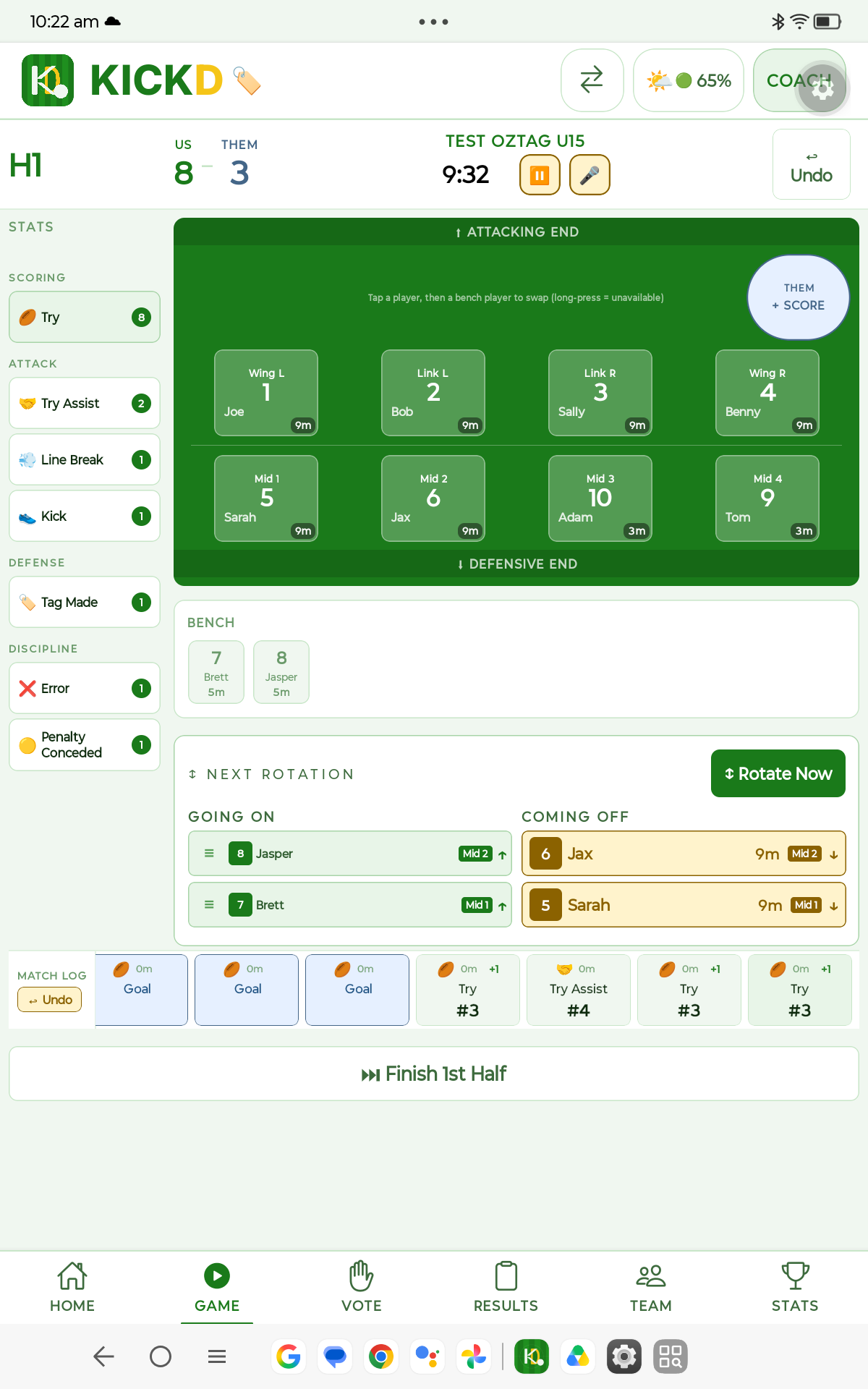
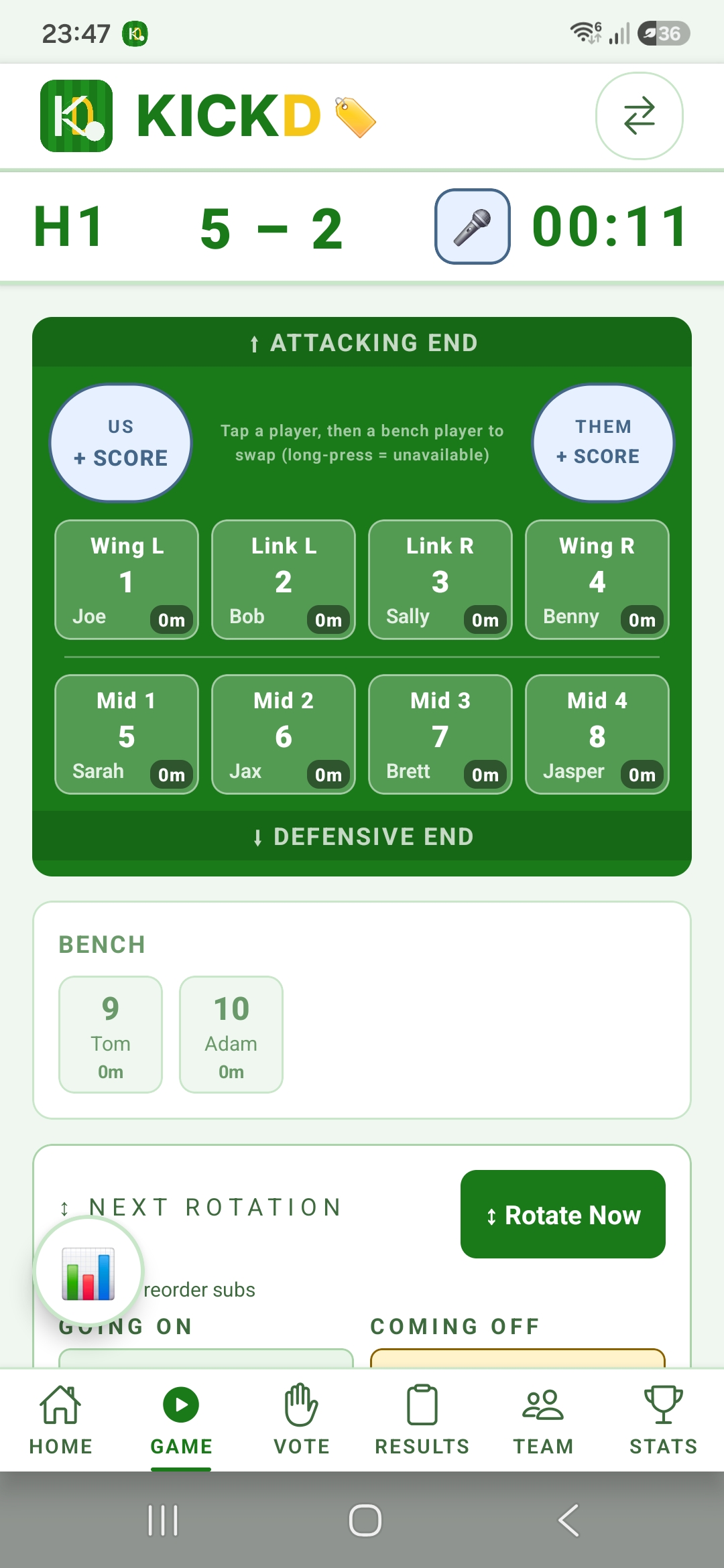
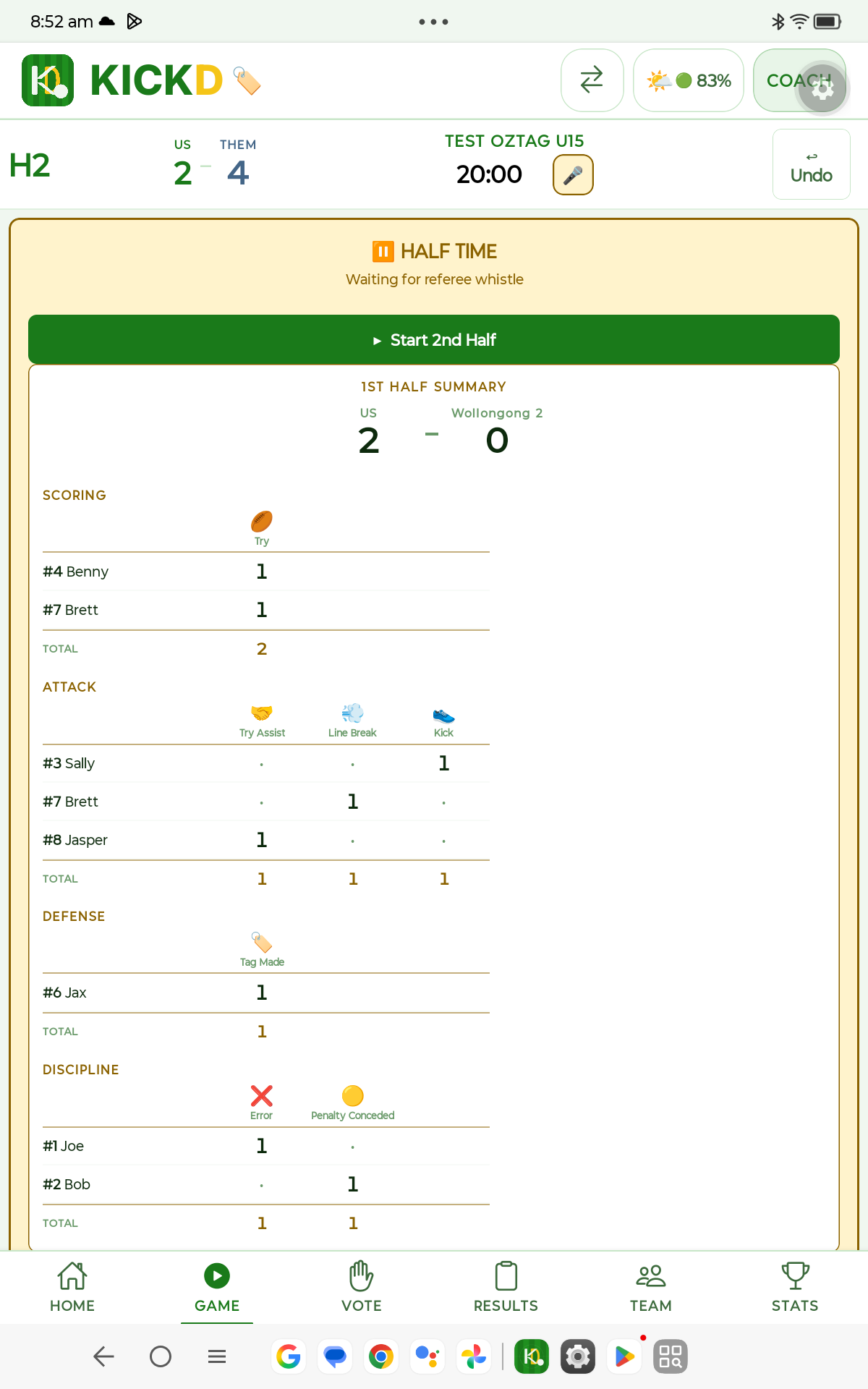
These are the phone screens a coach uses on game day. Tablets get the same match with the stats down the side.
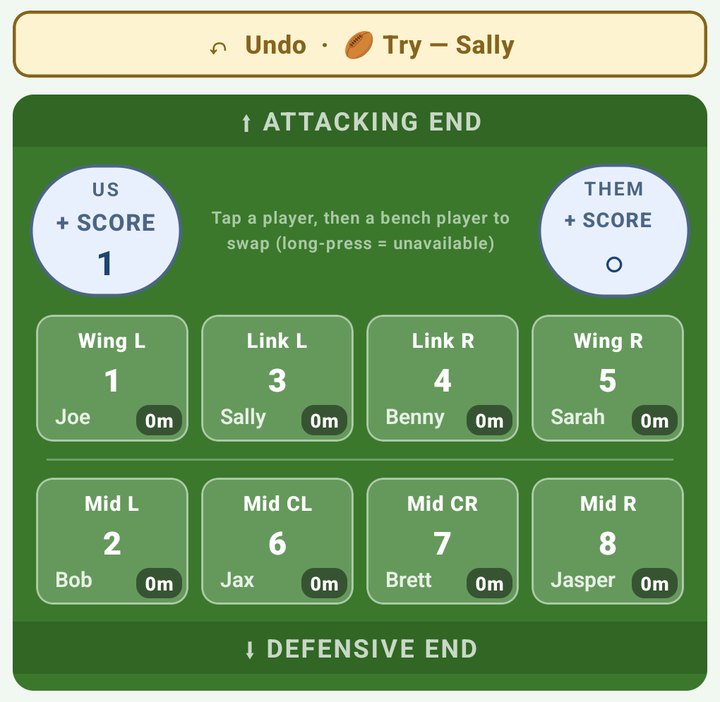
Tap the score, tap the try-scorer
Wings, links and middles on the field with minutes on each player. Tap your score, then the player who scored. An opposition try is a single tap.
Gave the try to the wrong player? The Undo bar names the last thing you logged and takes it back in one tap.
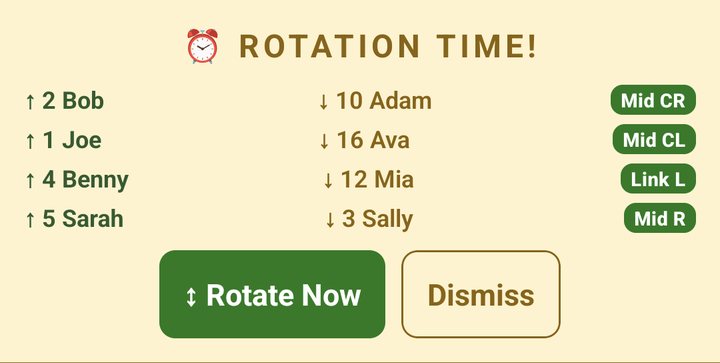
Rotation alerts that name each swap
When a rotation is due, Kickd shows who goes on, who comes off and the position they fill. Tap Rotate Now and every swap is made, with the minutes kept for you.
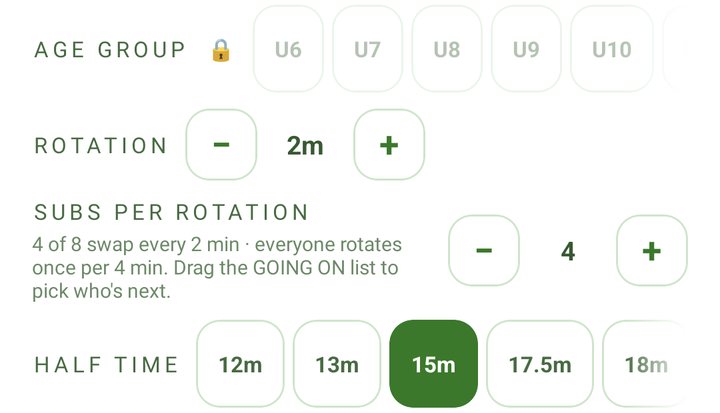
Big bench? Choose how many swap at a time
Set the rotation time and how many players change at each one. Kickd tells you how long a full cycle takes, so you can pick a setting that gets everyone on.
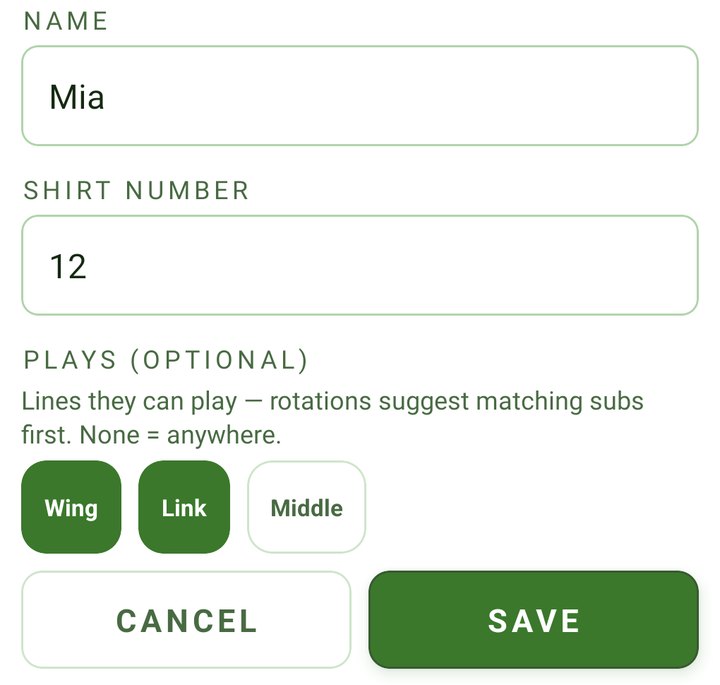
Tag who plays where
From U10, mark each player as a wing, link or middle. When a rotation comes up, Kickd puts a matching player into the spot first. Leave a player untagged and they can go anywhere.
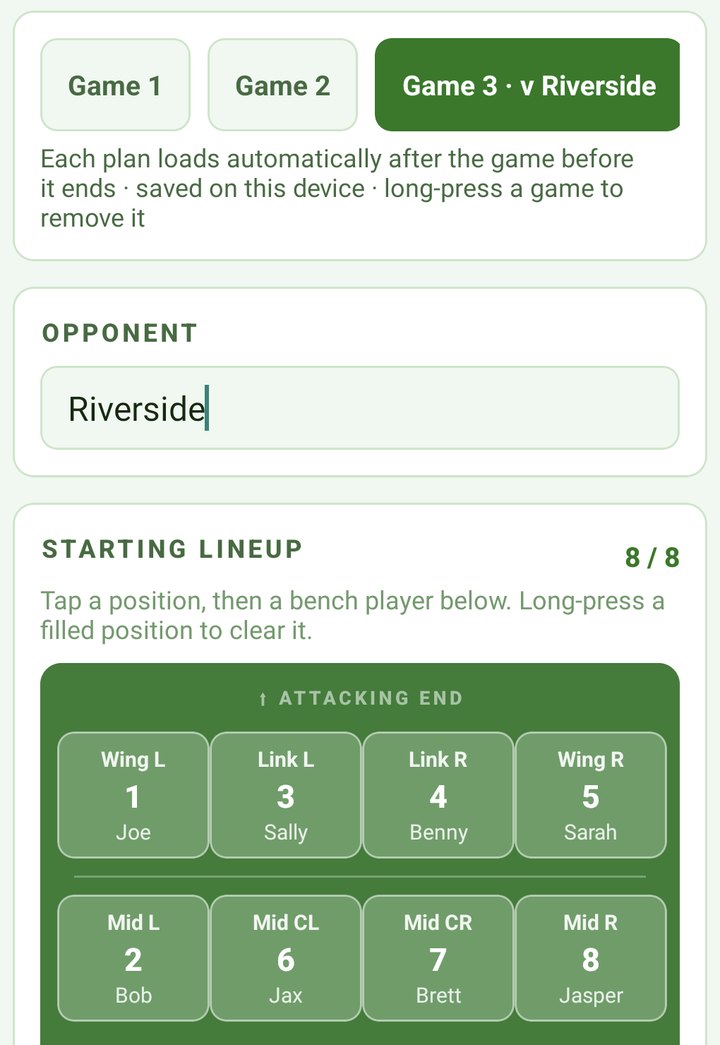
Carnival day, planned before you leave home
Add a game for each fixture and set its lineup and opponent. When one game ends, the next plan loads for you.
The score and the clock, without unlocking
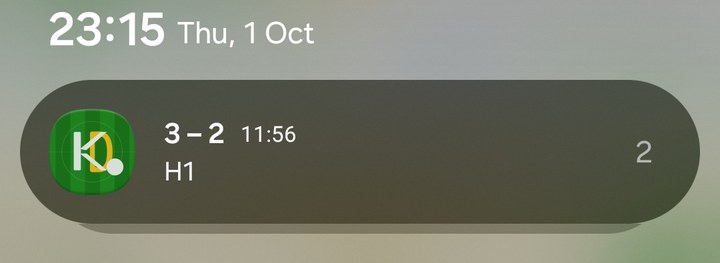
While a match is live, Kickd keeps the score, the period and the running clock in your notifications, so a glance at your phone tells you where the game is.
The clock keeps running with the phone locked or in your pocket.

Oztag questions, answered
Kickd is an Australian game-day app built for Oztag: a live 8-a-side field with wings, links and middles, unlimited rolling subs with running minutes and rotation alerts, rotation pools that pair each substitution within a Wing, Link or Middle zone, a match clock that keeps running while the app is backgrounded (with a live lock-screen timer), one-tap try scoring and Player of the Match voting — with try assists, line breaks, tags made, kicks and errors tracked from U13 up.
Can Kickd rotate Oztag players by position?
Yes — rotation pools. Tag each player Wing, Link or Middle and Kickd pairs each substitution within that zone, so a middle replaces a middle. Whatever rotation time you set, that saves a lot of thinking on the sideline. It is a preference, never a block: if the bench has nobody for that zone the rotation still happens and the pairing is flagged.
Does the match timer keep running if I leave the app?
Yes. The match clock is anchored to real time, so backgrounding the app, locking the phone or stepping away for photos never stops it — the time is right when you come back, and a live match timer sits on your lock screen on both iPhone and Android.
Can Kickd handle an Oztag gala or carnival day?
Yes — carnival mode is built in. Plan every game's lineup before the first whistle: game one loads as your next match, the rest queue behind it, and after each game one tap loads the next plan, opponent included. Fully offline, so a gala venue with no reception runs the same as a home round.
How does Kickd handle Oztag rolling subs?
Kickd shows the live 8-a-side field — wings, links and middles — with tap-to-swap substitutions. Running minutes update per player and rotation alerts fire at every age, so fair minutes never rely on guesswork.
Does your comp play fewer than 8 a side?
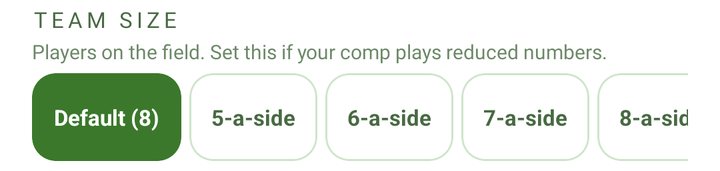
Set it in the app. Some comps run 5, 6 or 7 a side, so the Team tab has a team size setting: pick the number on the field and the lineup grid, rotation alerts and rotation pools all follow it.
Does Kickd track fair game time in junior Oztag?
Yes. Every player's minutes run live against their name with rotation alerts at every age group, so each kid gets their fair run while the tries flow.
What Oztag stats does Kickd record?
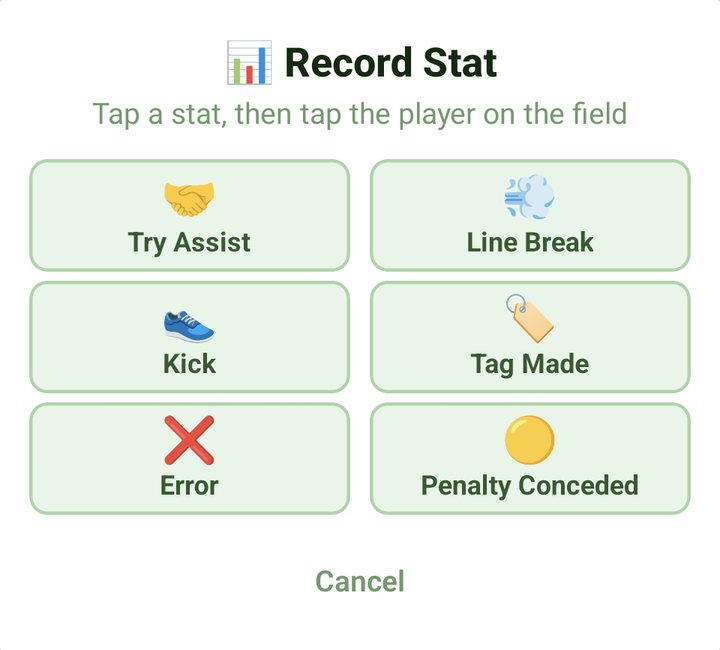
One-tap try scoring with scorer attribution at every age; from U13 up, with Team Stats, it also logs try assists, line breaks, tags made, kicks, errors and penalties conceded — with Player of the Match voting after the whistle.
Does Kickd need reception at the fields?
No. Kickd works fully offline on the sideline and everything is logged on the phone or tablet you already own — no extra hardware.
Can I log Oztag by voice?
Yes — Kickd Callout, included in every plan at every age group, logs the match completely hands-free on your phone mic or a Bluetooth headset (a boom mic like the Shokz OpenComm 2 for match day): say "try eight" or "sub two off, five on" and the match updates without touching the screen. Recognition runs on-device and works fully offline.
Can junior Oztag teams log the U13 stats?
Yes, if the coach wants them. The full set comes with Team Stats from U13, and U10 to U12 teams can switch on EXTENDED STATS on the Team tab — built for rep-pathway junior sides. U6 to U9 stay on one-tap tries and rotations by design, and turning the toggle off later hides the buttons without deleting anything already logged.
How long is an oztag game?
Oztag is played in two halves at every age, from U6 to Opens, and the comp sets the half length: anywhere from 10 to 20 minutes, with 2 × 15 common for juniors and 2 × 20 for seniors. Kickd's HALF TIME chips cover 12, 13, 15, 17½, 18 and 20 minutes, and a custom field takes any other length between 10 and 20, so the clock matches your comp exactly.
How many players are on the field in oztag?
Eight a side, with unlimited rolling substitutions from the bench. Under the junior modification U6 and U7 play six a side. Some comps run 5, 6 or 7 a side at other ages, so Kickd's TEAM SIZE setting takes 5 to 8 and the live field, rotation alerts and rotation pools follow the number you pick.
What does Kickd cost for Oztag?
Your first 3 matches are free at the full Team Stats level, so you see everything before paying anything. After that a Team Pass is $19.99 per team, per season: the live match clock, substitutions and rotations, fair game time, lineups, one-tap try scoring with the scorer attributed, Player of the Match and the free parent live view — all of it callable by voice with Kickd Callout. Team Stats is $49.99 per team, per season and adds the full Oztag stat set — try assists, line breaks, tags made, kicks, errors and penalties conceded, from U13 or with the U10 to U12 EXTENDED STATS toggle — and widens what Callout hears to match; a coach on a Team Pass can try it free for 14 days, once. A Performance Analyst logging for a Team Stats team gets the full set with no pass of their own. Parents and supporters are always free, and a club buys one plan that covers every team, priced per sport on the pricing page.
Read more
Ready to run oztag game day with Kickd?
Download the app and run your first 3 matches free at the full Team Stats level, or set up every team in your club at once.