
Water polo match day
Mark who's here, set your seven and tap Start Game. Kickd tracks every minute and every goal, from FlippaBall to Opens. After the whistle, your players or parents vote.
Set up once, at home
About 10 minutes. Do it before game day.
-
Create your team
Open Kickd and sign in. Tap Create Team, then enter the team name, the sport (Water Polo) and the age group off your rego.
The age group sets your periods and their length for you, so there's nothing to work out.
-
Add your players
Go to the TEAM tab at the bottom of the screen. Tap + Add Player and enter a name and shirt number. That's your whole roster, and you can add or edit players any week.
From U12, tick where each player can play under Plays: Centre Fwd, Wing, Driver or Point. Auto-fill and rotations use it to put players where they fit. Leave it blank for anywhere.
-
Check the format
On the same TEAM tab, check the AGE GROUP. It locks after your first match, so fix it now if it's wrong.
Pick Quarters or Halves under FORMAT. Or tap a COMMON TIMES preset to set both at once: 4×5 to 4×8, or 2×7 to 2×12.
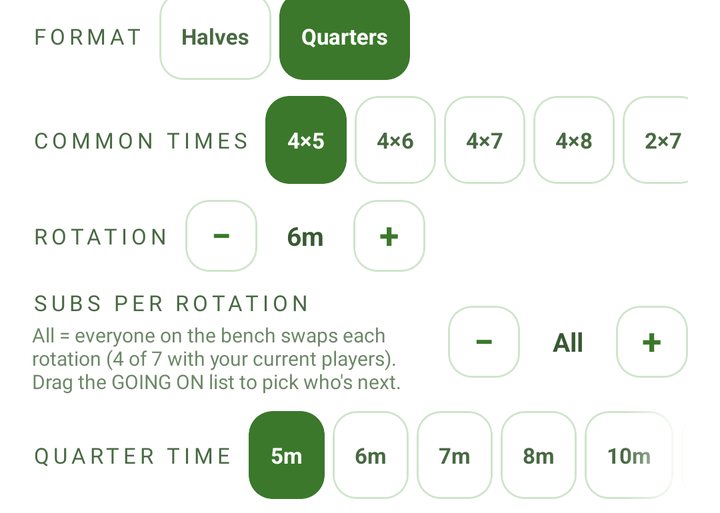
The TEAM tab: format, common times and quarter time. -
Invite parents and helpers
On the TEAM tab, tap Share Join Link under INVITE PARENTS/GUARDIANS (INVITE SUPPORTERS on an Opens team) and send it to your team chat. Parents follow the score live on their own phones. The link is for adults only.
Want a helper to run the clock and log the game? Tap Share PA Link under PERFORMANCE ANALYSTS. They join as your Performance Analyst and run the live screen while you coach.
Borrowing a player for the day? Tap + Add Guest Player. Guests play and get minutes but stay out of your season stats.
| Age | In the water | Default |
|---|---|---|
| U8, U10 | 7 (goalie + 6) | 2 × 10 min |
| U12, U14 | 7 (goalie + 6) | 4 × 5 min |
| U16 | 7 (goalie + 6) | 4 × 6 min |
| U18, Opens | 7 (goalie + 6) | 4 × 7 min |
Even age groups only. U8 and U10 play FlippaBall.
Practice first. Not sure you're ready? On HOME, tap Start Practice Game: a pretend match on a sped-up clock. Nothing is saved and parents see nothing, so run as many as you like before game day.
Until your first match, HOME shows a BEFORE YOUR FIRST GAME checklist. Tap any line to go straight there. Your three free matches include every stat, so you can see what Team Stats adds before you choose a pass.
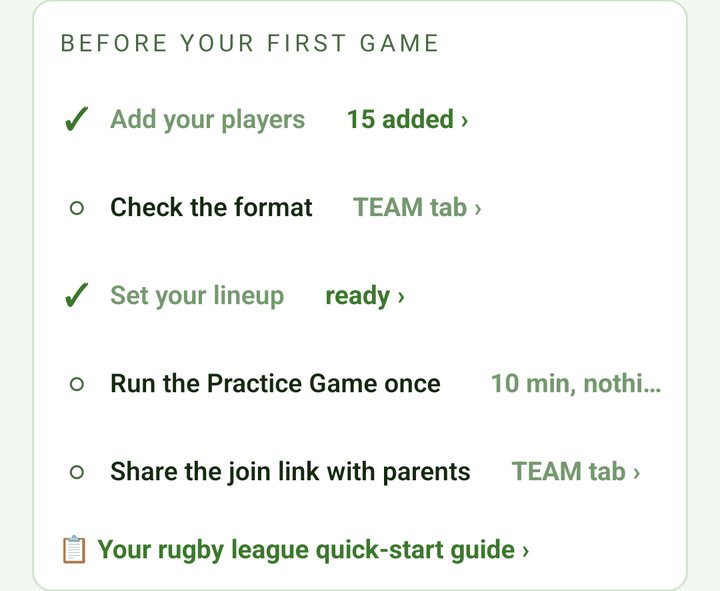
Before the first whistle
About 60 seconds on the pool deck.
-
Mark who's here
On the home screen, tap any player who didn't turn up to grey them out. Everyone else is in.
Type the other team's name under OPPONENT if you like. It shows on the live screen.
-
Set your seven
U12 and up: tap Set Lineup and fill centre forward, wings, drivers, point and goalie, or tap Auto-fill for a fair-share seven, goalie included, from who turned up.
FlippaBall (U8 and U10): there are no positions. Pick your starting players on Set Lineup if you like, and Kickd rotates to share pool time. You choose who goes in goal.
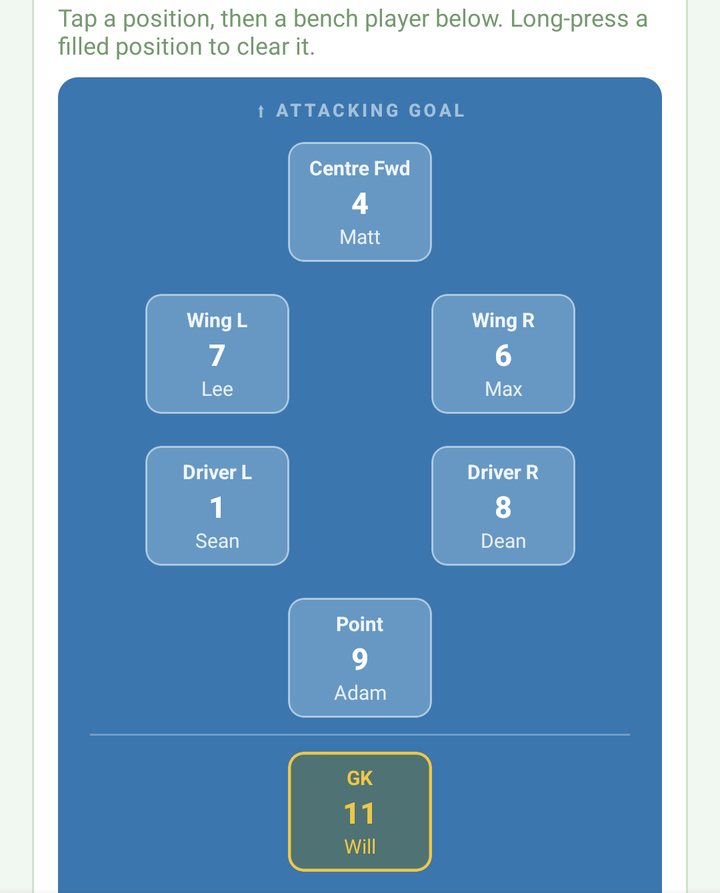
Set Lineup after Auto-fill, goalie included. -
Tap Start Game
The clock runs the format and length you set on the TEAM tab: halves for FlippaBall and quarters from U12 unless you change it.
From U12, if your seven isn't set, Start Game opens the lineup first. It only asks for as many players as turned up.
Carnival day? On Set Lineup, tap + Add game to plan each game with its own seven and opponent. Plans are saved on this device. After each End Game, tap Load Next Game on HOME and the next plan drops in.
On the pool deck
The live screen.
-
Log the goals
Tap your score cell, then the scorer. Each goal is one point on the running score.
On a tablet, tap Goal in the stats column beside the pool, then the scorer.
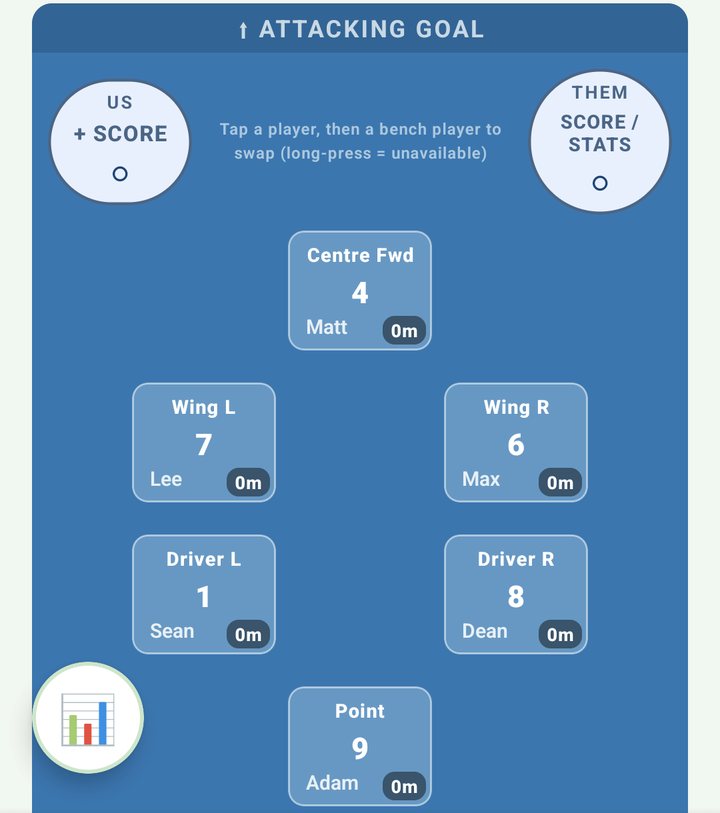
Your score cell is top left, theirs top right. -
Log theirs
An opposition goal is a single tap on their score cell.
On Team Stats from U14 (U12 with EXTENDED STATS), their cell opens a list with Goal at the top, so you can log their shots too.
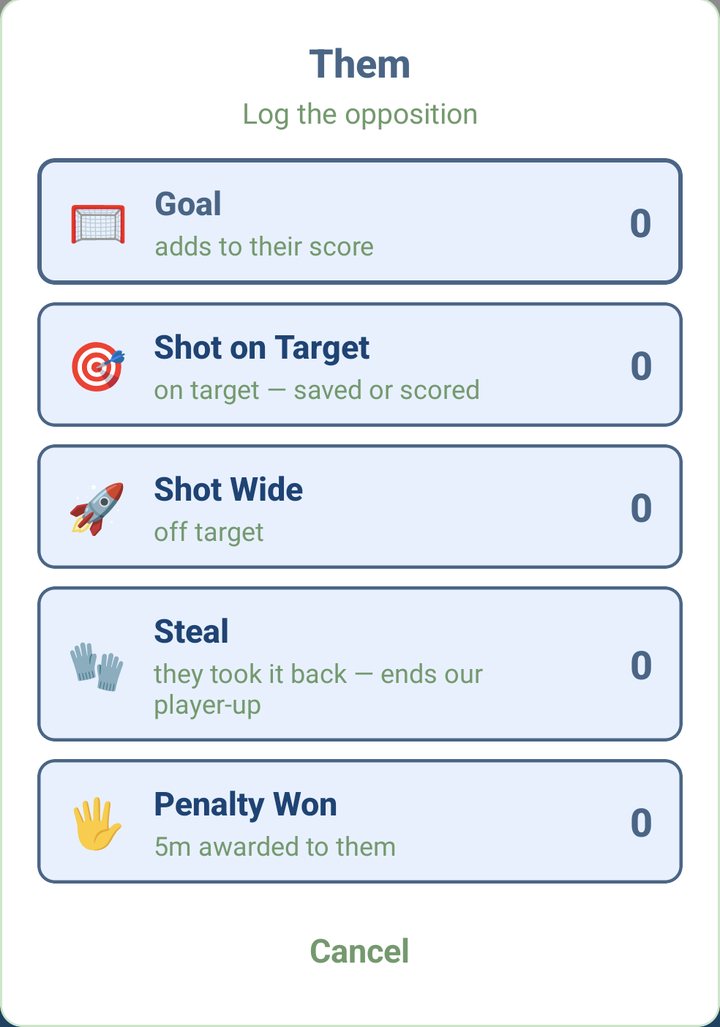
Their cell on Team Stats: Goal first, then their shots. -
Roll the subs
Two taps: the player coming out, then the player going in. Every swap updates everyone's minutes, and the bench sits right under the pool.
-
Keep it fair
Every player shows their minutes, in the water and on the bench. Anyone getting too much game time turns amber.
-
If a player can't go on
Long-press them and choose Mark Unavailable. Kickd takes them off, and from U12 you tap a bench player to fill the spot. For a no-show, choose Not Here - Mark Absent. It clears their minutes.
-
Fix a mistake
On a phone, long-press your score cell to take back the last thing you logged. Long-press theirs to take back their last goal. On a tablet, tap Undo in the match log. Or say "undo".
Match stats, U14 and up
Every pass logs goals and your own exclusions (Exclusion Conceded).
Team Stats adds assists, shots on target and wide, exclusions drawn (Drew), penalties won, steals, blocks, saves and turnovers.
On Team Stats, U12 teams can switch them on with EXTENDED STATS on the TEAM tab. Voice calls for them start at U14.
On a phone, tap the round stats button at the bottom left, pick a stat, then tap the player. On a tablet, pick the stat in the column beside the pool.
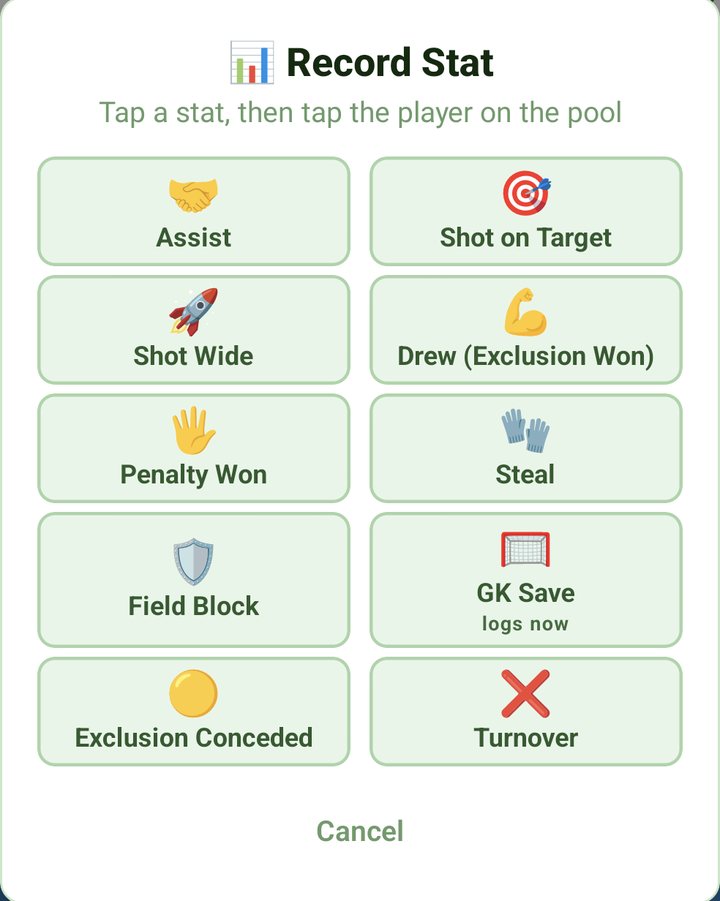
Tap GK Save and it lands on whoever is in goal. On Team Stats, for a 5m penalty tap Penalty Won, then the player who drew it. Kickd asks GOAL (tap the scorer) or MISSED. Their 5m is Penalty Won in their list.
On Team Stats, Drew starts a 20-second PLAYER UP countdown. Exclusion Conceded starts PLAYER DOWN.
At each break the EXTRA PLAYER card turns those windows into your PLAYER-UP CONVERSION and PLAYER-DOWN KILL rate. It also shows your 5m penalties, and shooting for both teams once you log theirs.
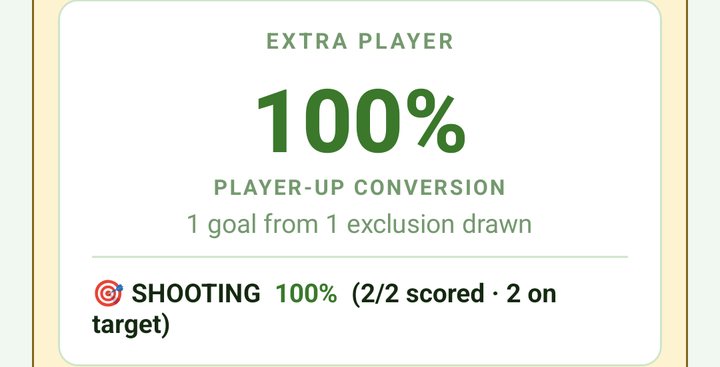
Log their Steal when they win the ball back during your player-up. It closes the window, so your conversion rate stays honest.
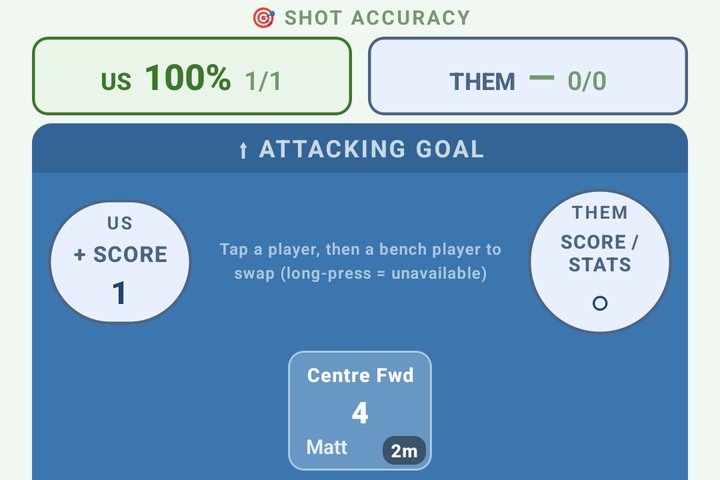
Once a shot is logged, SHOT ACCURACY sits above the pool with your rate and theirs, and the counts beside each.
On the STATS tab, the SEASON MAN-UP card adds up your player-up rate across every match. Only you see it.
Rotation alerts
On at every age.
Nobody swims a whole match, and pool time is the hardest thing on the deck to keep even.
Kickd runs the alarm and lines up each swap: the player with the most minutes comes out, and the player who has waited longest on the deck goes in.
- Set how often under ROTATION on the TEAM tab. When it's time, Kickd buzzes and ROTATION TIME! shows who's coming out and going in.
- Rotate Now makes every swap in one tap, or tap Dismiss and play on.
- Big bench? Set SUBS PER ROTATION on the TEAM tab to swap a few players at a time instead of a full line change.
- From U12, Kickd prefers a bench player ticked for that spot (Centre Fwd, Wing, Driver or Point).
- If nobody on the bench fits, the next player waiting goes in anyway, with an amber warning mark.
- U14 and up: the goalie never auto-rotates, and high minutes don't turn them amber. Sub them by hand.
- U12: the goalie spot rotates like any other. In FlippaBall you choose who goes in goal.
- You're in charge. Drag the GOING ON list to change who's next, or tap a name under COMING OFF and pick someone else on the pool deck. Or ignore the card and sub whenever you like.
- Junior matches (U8 to U12) get a Fairness % plus a season chart on the stats screen.
The clock
Stoppages, early whistles, late arrivals.
- Tap Pause for a long stoppage and Resume to go again. On a phone it sits under the field. On a tablet it's the pause button in the top bar.
- The clock stops itself at each break. To end a period early, tap Finish Half (or Finish Q1 and so on for quarters) and confirm.
- At the break, make any changes, then tap Start 2nd Half (Start Q2 and so on for quarters).
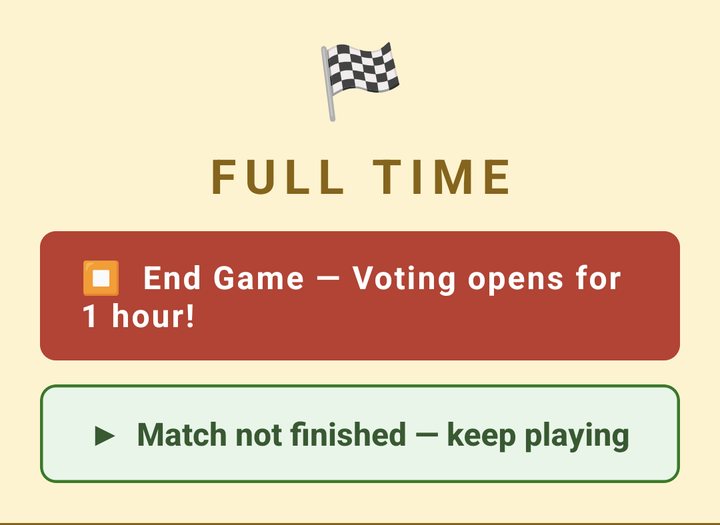
- Clock beat the whistle? On the break screen, tap Half not finished, keep playing (Quarter for quarters). Keep logging as normal, nothing spills into the next period, then tap End 1st Half when play stops. Full time has the same button.
- You can lock your phone. The clock keeps running and alerts still come through. If play was stopped while you were away, tap Rewind, play was stopped when you come back.
- Someone turns up late? Tap + Add to Game next to their name under Absent on the live screen.
- The clock counts down each period. Prefer it counting up? Change MATCH CLOCK on the TEAM tab.
Full time
No rush at the huddle.
End the game and pick your player
At full time, tap End Game at the top of the screen. The match ends straight away.
Pick your Player of the Match on the results screen when you've got a moment. You've got an hour after the whistle, and Kickd sends a reminder if you haven't picked.
Who votes, and when
- Juniors (U8 to U12): parents vote Players' Player on their child's behalf, for an hour after full time. It's on by default, under PLAYERS' PLAYER on the TEAM tab.
- Every vote builds the season Players' Player leaderboard. Parents never see the tally.
- Seniors (U14 to Opens): turn on PLAYER VOTING on the TEAM tab and players vote after each match. Opens players join with your Player Code (TEAM tab). U14 to U18 players need a parent to switch on their login under PLAYER LOGINS on the parent's TEAM tab.
After the game
- Tap Share result to the team on the results screen to send the score to your group chat.
- Every match is saved on the STATS tab under HISTORY. Tap one for the full match.
- On Team Stats, tap Share PDF there to send the match report to your club or parents.
- Ran a test game by mistake? The head coach can remove it with Delete Match.
No signal
Dead spots, country grounds, carnival days.
- The whole match runs on your device. The clock, the lineup, scores, stats and subs don't need the internet.
- Finished games wait on the device and save to your season as soon as reception returns.
- Parents' live view needs signal. Their screens catch up once they're connected again.
- Voice works with no signal too, once the voice pack is on your phone. Download it at home on Wi-Fi: on the TEAM tab, tap Download in the KICKD CALLOUT row (about 68 MB).
Call it in by voice
Kickd Callout comes with every pass, at every age.
-
Pick your mic
On HOME, tap Bluetooth headset or Phone mic (Tablet mic on a tablet). A headset with a boom mic holds up in crowd noise. The phone or tablet mic suits training or a quiet ground, and you tap the mic button each time you want it to listen.
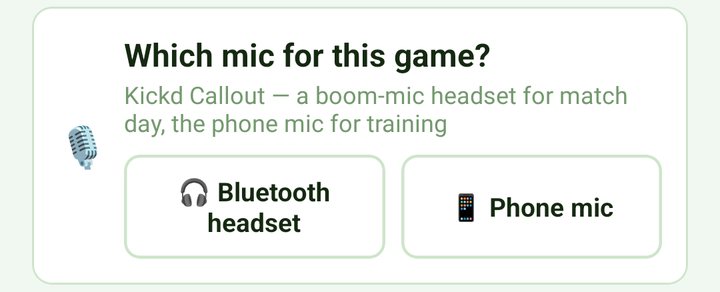
Pick the mic on HOME before the game. -
Arm the mic
If you picked a mic on HOME, it arms itself at the start of play. Otherwise tap the mic button in the top bar. Red means it's logging what it hears, and the bar shows what it heard and what it logged.
-
Mute when you step away
Tap the mic again to mute for sideline chats or stoppages. On the phone or tablet mic, press and hold to mute. Nothing logs while it's muted. The mic stays armed through the break and switches off at full time.
Which headset
A Bluetooth headset keeps you hands-free, with your eyes on the game, so one person can log the whole match by voice. Most Bluetooth headsets work, and coaches have even used smart glasses, but results vary with noise cancelling. The Shokz OpenComm 2 boom mic is the best tested on a noisy sideline.
Mix taps and voice freely. Undo fixes either.
Voice comes with every pass. On Team Pass you call the goals for both teams, exclusions conceded (U14+), subs, rotate now, pause and undo. On Team Stats every call on this page as well. Calls marked Team Stats need Team Stats. Junior teams hear a shorter list: only the stats their age group logs. Scores, subs, rotations and the controls work at every age.
Our team say the cap number
Opposition no cap numbers needed
Say the number as a word: "nine", "twenty three". Mis-spoke? Say "undo".
Speech recognition runs on your device. Your audio is never recorded, stored or sent anywhere.